Best Ergonomic Split Keyboards (2026)
Updated How we research
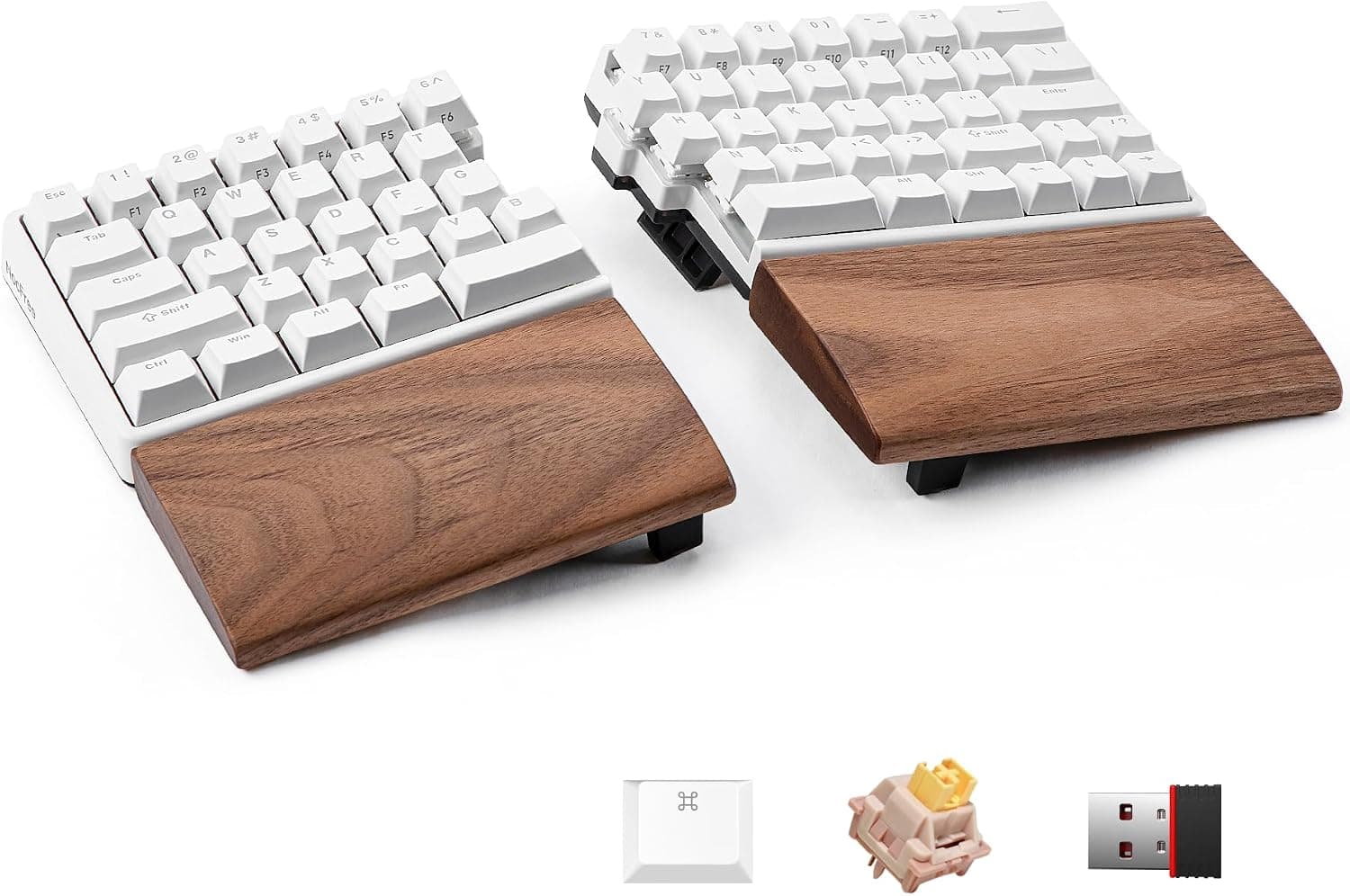
NocFree Wireless Ergonomic Split Mechanical Keyboard with Wrist Rest, RGB, Hot-Swappable 60%
NocFree wireless ergonomic split mechanical keyboard with wrist rest, RGB and hot-swappable 60% layout.
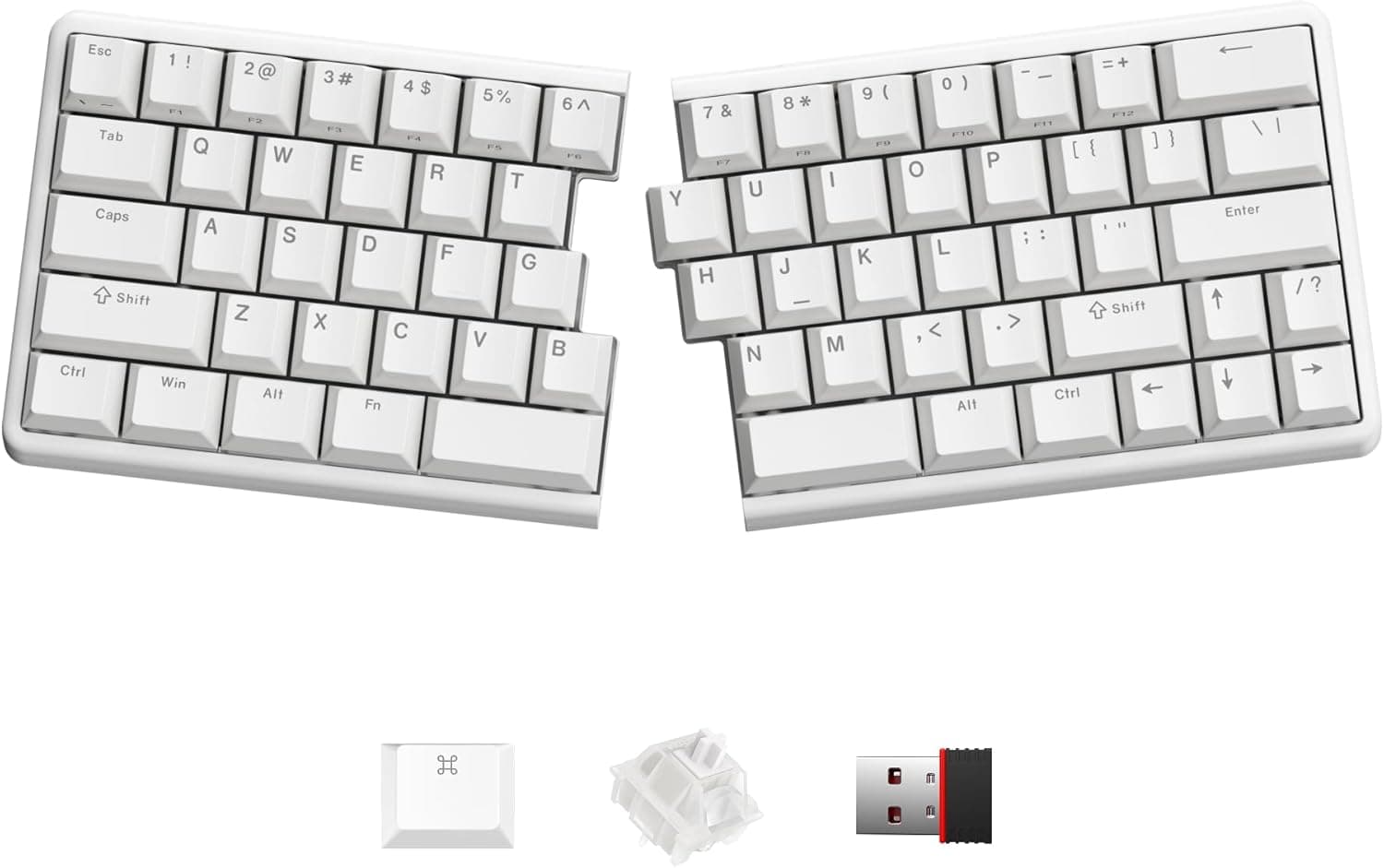
NocFree Wireless Ergonomic Split Mechanical Keyboard - Linear, Hot-Swappable 60%
NocFree wireless ergonomic split mechanical keyboard with linear switches and a hot-swappable 60% layout.
An ergonomic split keyboard separates the keys into left and right sections so your wrists, forearms, and shoulders can sit in a more natural, open position instead of being pinched inward. There are two broad approaches. A fixed-split board keeps the halves at a set angle in one piece, which is a gentler, lower-commitment step, while a fully separate two-piece design lets you place each half wherever your shoulders want and often add tenting, which raises the inner edges so your palms angle inward. Consider whether you want a wrist rest and a negative tilt to keep wrists flat. Be honest about the learning curve. Split layouts, especially heavily reshaped ones, take time to adjust to, and some move common keys, so an easier layout eases the transition. Check the connection, key feel, and whether the halves connect by cable or wirelessly. This suits people with wrist or shoulder discomfort, heavy typists who want long-term comfort, and anyone building an ergonomic desk. If you are not sure you will stick with the retraining, start with a mild fixed-split model before committing to a fully separated one.
The short version
We compared 7 picks. Our scores range from 7.3 to 8.6 out of 10.
- Best overall:NocFree Wireless Ergonomic Split Mechanical Keyboard with Wrist Rest, RGB, Hot-Swappable 60%. Highest overall score in this guide at 8.6/10.
- Also great value:NocFree Wireless Ergonomic Split Mechanical Keyboard - Linear, Hot-Swappable 60%. Value score of 8/10, overall 8.6/10.
- Solid build:NocFree Wireless Ergonomic Split Mechanical Keyboard - Tactile, Hot-Swappable 60%. Build and materials score of 8/10, overall 8.6/10.
- Feature-rich:YIVU CORNE V4.1 Split Ergonomic Mechanical Keyboard, 40% 3x6 Columnar Stagger Ortholinear Layout, QMK/Vial Programmable, Wired Type-C Hot-Swappable RGB Custom Keyboard for Programmers Typing. Features score of 9/10, overall 8.1/10.
Scores are our editorial assessment, not customer ratings. How we score
- 1.NocFree Wireless Ergonomic Split Mechanical Keyboard with Wrist Rest, RGB, Hot-Swappable 60%8.6/10See on AmazonCheck price
- 2.NocFree Wireless Ergonomic Split Mechanical Keyboard - Linear, Hot-Swappable 60%8.6/10See on AmazonCheck price
- 3.NocFree Wireless Ergonomic Split Mechanical Keyboard - Tactile, Hot-Swappable 60%8.6/10See on AmazonCheck price
- 4.R-Go Ergonomic Split Keyboard, Scissors Mechanism, 2 Part Design, USB-C Wired8.4/10See on AmazonCheck price
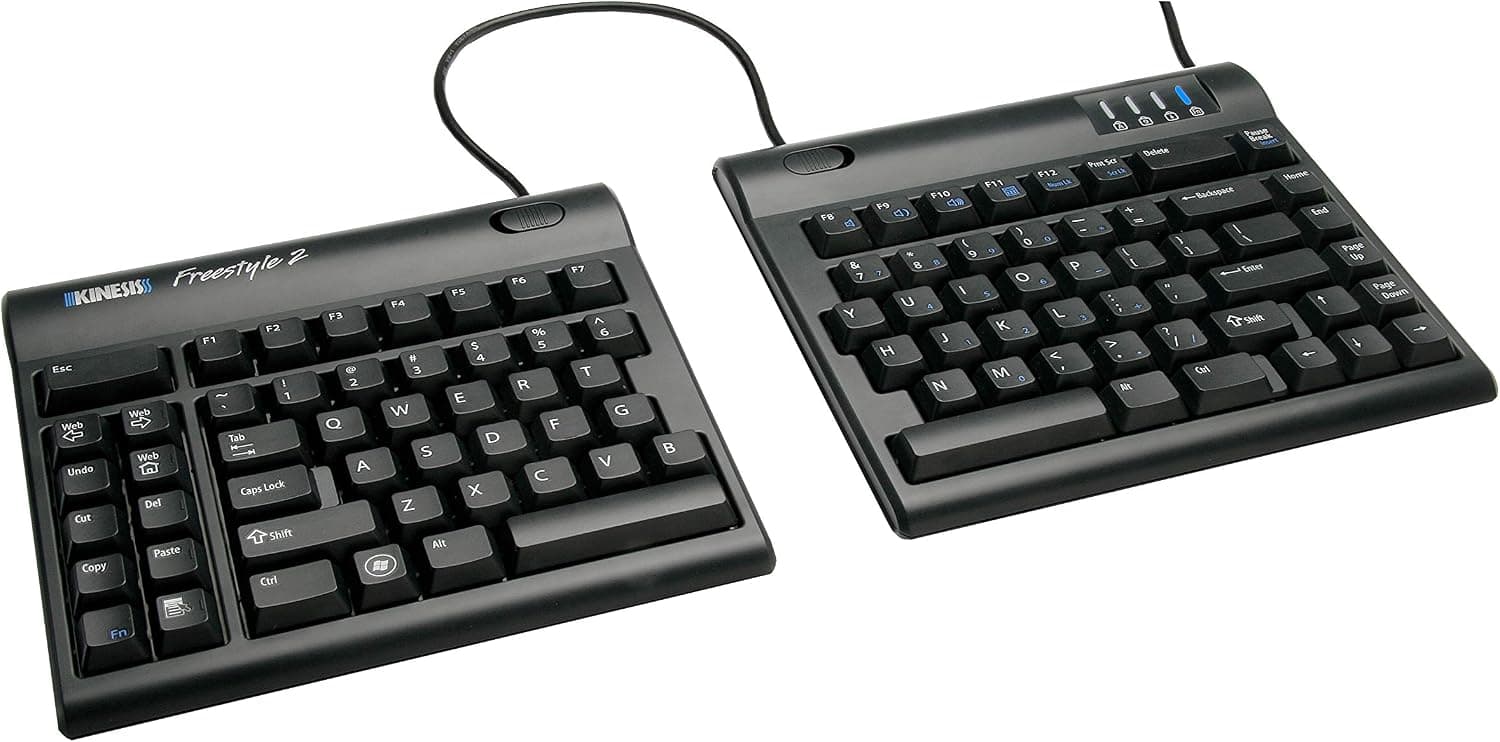
- 5.KINESIS Freestyle2 Ergonomic Keyboard for PC (9" Separation)8.4/10See on AmazonCheck price
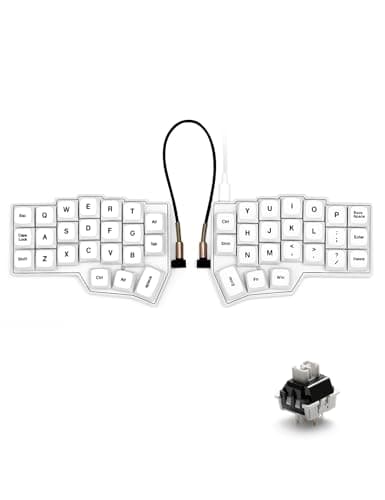
- 6.YIVU CORNE V4.1 Split Ergonomic Mechanical Keyboard, 40% 3x6 Columnar Stagger Ortholinear Layout, QMK/Vial Programmable, Wired Type-C Hot-Swappable RGB Custom Keyboard for Programmers Typing8.1/10See on AmazonCheck price
- 7.Hardtochooseone Split Ergonomic Mechanical Keyboard, QMK, 36-Key, USB-C7.3/10See on AmazonCheck price
 #1
#1NocFree wireless ergonomic split mechanical keyboard with wrist rest, RGB and hot-swappable 60% layout.
Fit for the job 9/10 · Features and specs 9/10 · Build and materials 8/10 · Value 8/10
- + Split halves let shoulders stay open for a more natural posture
- + Hot-swappable switches let you change key feel without soldering
- + Included wrist rest supports the hands during long typing
- - 60% layout drops dedicated function and number keys
- - Split mechanical boards take a week or two to adjust to
 #2
#2NocFree wireless ergonomic split mechanical keyboard with linear switches and a hot-swappable 60% layout.
Fit for the job 9/10 · Features and specs 9/10 · Build and materials 8/10 · Value 8/10
- + Linear switches give a smooth, quiet keystroke with no bump
- + Wireless split halves reduce cable clutter on the desk
- + Hot-swappable board makes future switch upgrades easy
- - Linear switches can lead to accidental key presses for light typists
- - No number pad in the 60% layout
 #3
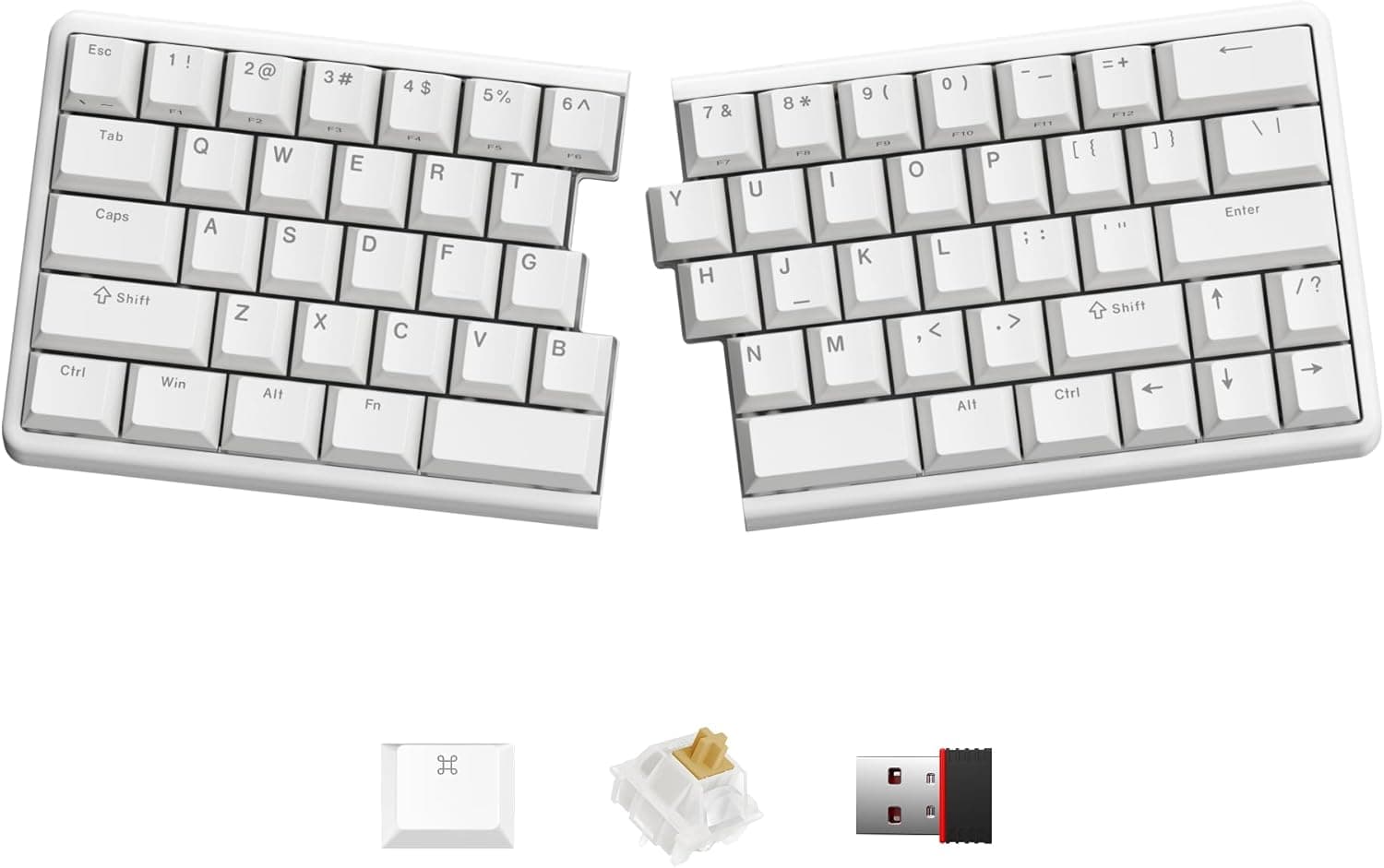
#3NocFree wireless ergonomic split mechanical keyboard with tactile switches in a hot-swappable 60% layout.
Fit for the job 9/10 · Features and specs 9/10 · Build and materials 8/10 · Value 8/10
- + Tactile switches give a clear bump for accurate typing
- + Split wireless design supports a relaxed shoulder position
- + Hot-swap sockets let you try linear or clicky switches later
- - Tactile switches are louder than linear options in quiet offices
- - Wireless split halves both need charging
 #4
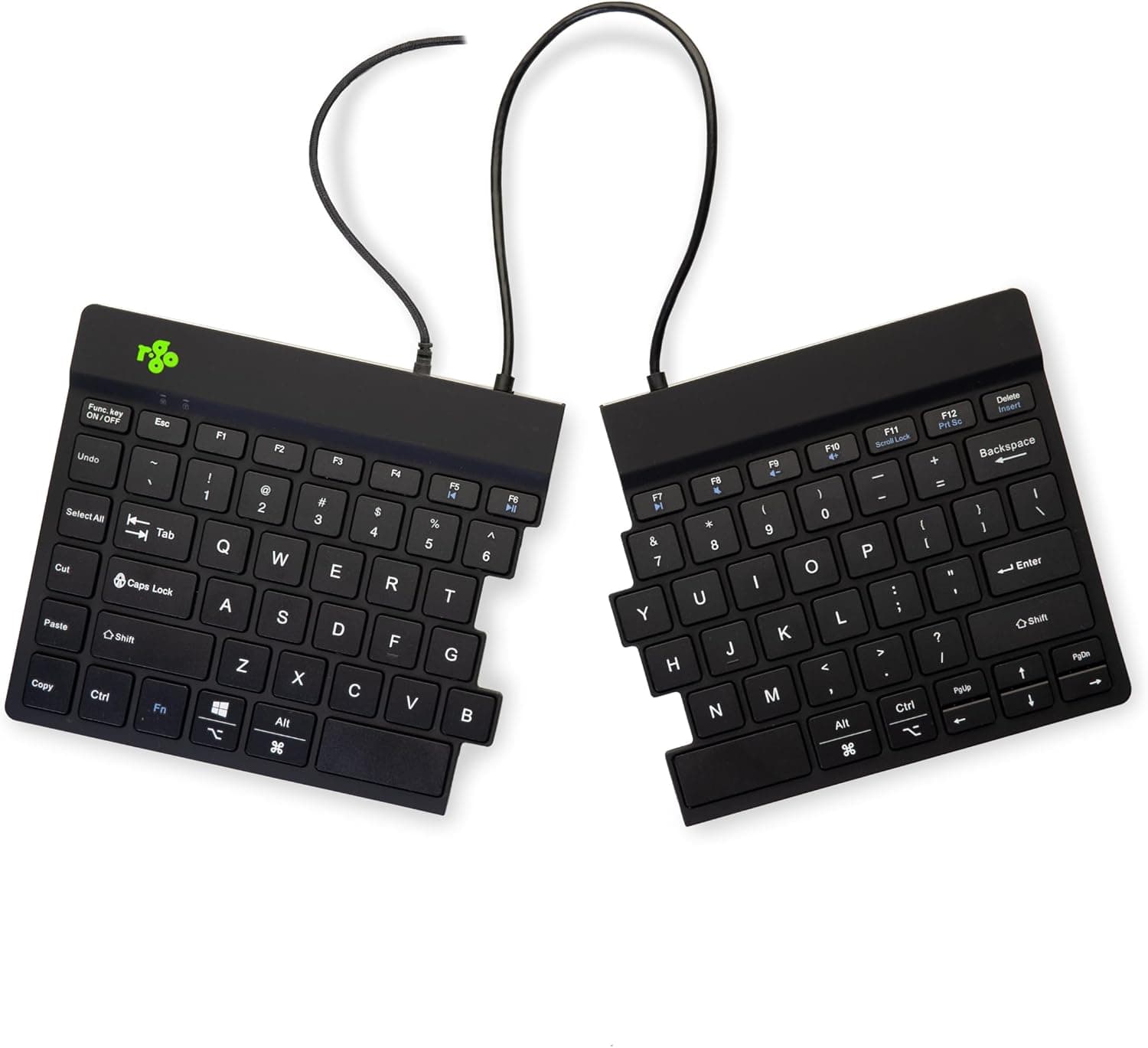
#4R-Go ergonomic split keyboard with a scissors mechanism, 2 part design and USB-C wired connection.
Fit for the job 9/10 · Features and specs 8/10 · Build and materials 8/10 · Value 8/10
- + Scissors mechanism gives a light, low-profile typing feel
- + 2 part design lets each half sit at shoulder width
- + R-Go specializes in ergonomic office peripherals
- - Wired USB-C connection adds cables to the desk
- - Low-profile keys may feel flat to mechanical keyboard fans
 #5
#5KINESIS Freestyle2 ergonomic keyboard for PC with 9" separation, a well-known split board from an ergonomics pioneer.
Fit for the job 9/10 · Features and specs 8/10 · Build and materials 8/10 · Value 8/10
- + 9" separation lets hands and shoulders sit wider apart
- + KINESIS has decades of experience designing ergonomic keyboards
- + Familiar key layout makes switching from a standard board easier
- - PC-specific version is not ideal for Mac shortcut layouts
- - Flat by default, so tenting accessories cost extra
 #6
#6YIVU Corne V4.1, a wired 40% split keyboard with a 3x6 column-staggered layout, hot-swap sockets and QMK/Vial programming. It ships with pre-lubed linear switches fitted and both cables included.
Fit for the job 8/10 · Features and specs 9/10 · Build and materials 7/10 · Value 8/10
- + Two separate halves can be set at shoulder width, with column-staggered keys that follow natural finger travel
- + QMK/Vial firmware lets you remap keys, add layers and set macros in the Vial app without flashing code
- + Hot-swap sockets take 3-pin and 5-pin MX-style switches, so switches can be changed without soldering
- - A 40% layout has no number row or function row, so everyday typing depends on learning layers
- - Wired only: USB-C to the computer plus an interconnect cable between the halves, with no wireless mode
 #7
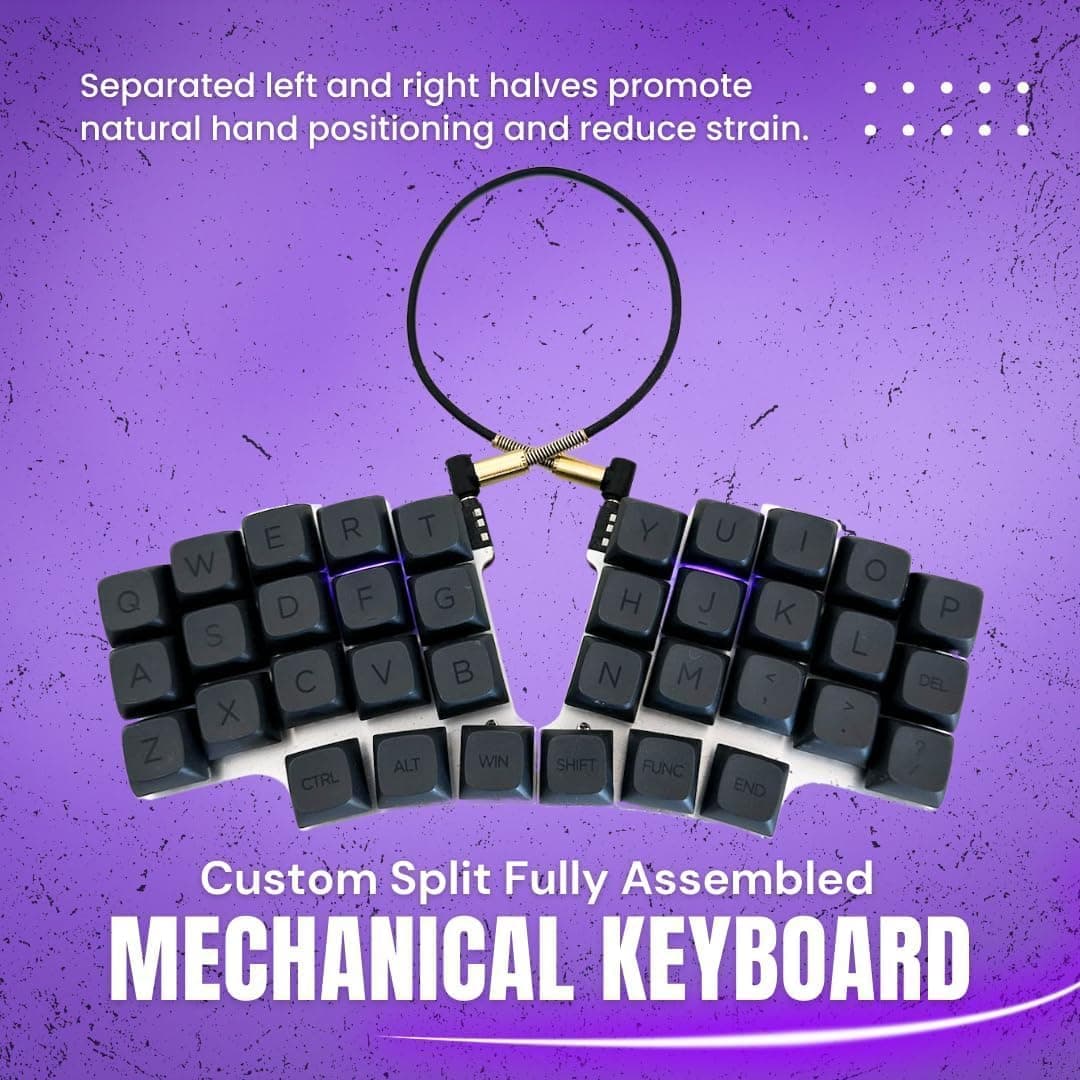
#7Hardtochooseone split ergonomic mechanical keyboard with QMK firmware, 36-Key layout and USB-C, a minimalist enthusiast board.
Fit for the job 7/10 · Features and specs 8/10 · Build and materials 7/10 · Value 7/10
- + QMK firmware lets you remap every key and layer
- + 36-Key layout keeps fingers close to home row
- + USB-C connection is modern and reversible
- - 36-Key layout requires memorizing layers for numbers and symbols
- - Unusual brand name offers little support history
Before you buy: trade-offs we flagged
No pick is perfect. These are the main compromises we noted for the top products in this guide, so you can check they will not matter for you.
- 60% layout drops dedicated function and number keys (NocFree Wireless Ergonomic Split Mechanical...)
- Linear switches can lead to accidental key presses for light typists (NocFree Wireless Ergonomic Split Mechanical...)
- Tactile switches are louder than linear options in quiet offices (NocFree Wireless Ergonomic Split Mechanical...)
- Wired USB-C connection adds cables to the desk (R-Go Ergonomic Split Keyboard, Scissors...)
- PC-specific version is not ideal for Mac shortcut layouts (KINESIS Freestyle2 Ergonomic Keyboard for PC...)
- A 40% layout has no number row or function row, so everyday typing depends on learning layers (YIVU CORNE V4.1 Split Ergonomic Mechanical...)
Frequently asked questions
›What is the best choice among ergonomic split keyboards (2026)?
NocFree Wireless Ergonomic Split Mechanical Keyboard with Wrist Rest, RGB, Hot-Swappable 60% is our top overall pick. NocFree wireless ergonomic split mechanical keyboard with wrist rest, RGB and hot-swappable 60% layout. It earns our score of 8.6/10, based on fit for the job, features, build and value.
›What is a good budget option?
NocFree Wireless Ergonomic Split Mechanical Keyboard - Linear, Hot-Swappable 60% is the strongest low-cost pick in this guide. NocFree wireless ergonomic split mechanical keyboard with linear switches and a hot-swappable 60% layout.
›How much should I expect to spend?
Picks in this guide span See on Amazon price bands (roughly: $ = under $30, $$ = $30 to $100, $$$ = over $100). We never display exact prices because they change constantly, so the buttons above always show Amazon's current price.
›How were these products chosen?
We shortlist products that fit the job this guide solves and compare their published specifications, such as size, capacity, materials and what is included. Each pick gets an editorial score out of 10 for fit, features, build and value, and we write the pros and cons from those details. Our score is not an Amazon customer rating. We earn a commission if you buy through our links, which never affects the ranking.
Desk Upgrade Nest independently selects every product; we may earn a commission from links above.
More questions readers ask
Are split keyboards better for wrist pain?
They let your hands sit shoulder-width apart with straighter wrists, which many people find more comfortable. Expect a learning period of one to two weeks.
Popular right now
- Best Under-Monitor Storage Organizers (2026)Buying guide
- Best Monitor Privacy Filters (2026)Buying guide
- Best Corner Desks for Home Offices (2026)Buying guide
- Best UPS Battery Backups for Home Offices (2026)Buying guide
- Docking station explainedGlossary
- How to Stop a Standing Desk From WobblingArticle
Based on the last 28 days of search and visitor data.