NocFree Wireless Ergonomic Split Mechanical Keyboard - Tactile, Hot-Swappable 60% Review (2026)
Updated September 14, 2026 · Research-based review
Our verdict
This tactile version of the NocFree split keyboard suits typists who want a clear, bump-feel keystroke for accuracy over the smoother glide of a linear switch. The wireless split halves keep cable clutter down, though the tactile bump is louder than linear switches and both halves need their own charge.
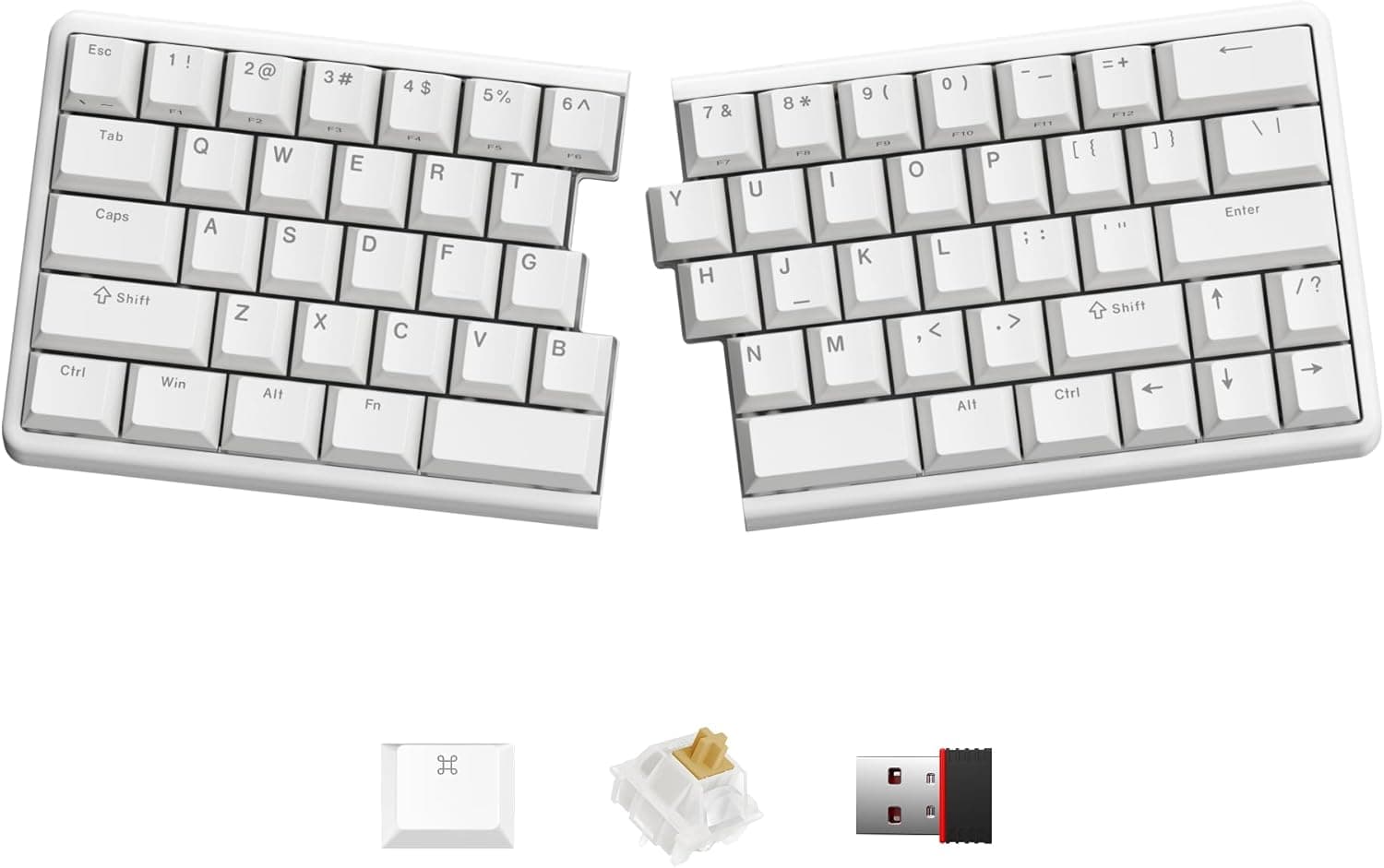
NocFree wireless ergonomic split mechanical keyboard with tactile switches in a hot-swappable 60% layout.
Price range: See on Amazon
What we liked
- + Tactile switches give a clear bump for accurate typing
- + Split wireless design supports a relaxed shoulder position
- + Hot-swap sockets let you try linear or clicky switches later
Trade-offs
- - Tactile switches are louder than linear options in quiet offices
- - Wireless split halves both need charging
Who this keyboard is for
This board is built for typists who prefer to feel each keypress register rather than relying on a smooth linear stroke, a preference common among people who type quickly and want tactile feedback to confirm a key has actually been pressed. Like the rest of the NocFree split line, it suits programmers, writers and office workers who want their hands and shoulders in a more relaxed, shoulder-width position than a standard keyboard allows, without a cable running between the two halves. It is not the right fit for shared or quiet offices where a distinctly audible keypress would bother neighbors, since tactile switches are generally louder than linear ones. It also skips a number pad, so anyone doing regular numeric data entry should plan for a separate keypad.
Switches, layout and connectivity explained
The keyboard uses tactile switches rated at roughly 40 grams of actuation force, giving a light, responsive bump partway through each keystroke that signals the press has registered, a different feel from the smooth, bump-free stroke of a linear switch. It keeps the same compact 60 percent split layout as the rest of the line, dropping the number pad and most of the function row to stay small on the desk, with a built-in tenting angle meant to keep the wrists from rolling inward during long sessions. The switches are hot-swappable, so they can be pulled and replaced without soldering if a different feel is wanted later, and PBT keycaps are included for a finish that resists shine better than cheaper ABS plastic over time. Weight comes in at roughly 550 grams for the full set.
Setting it up and using it day to day
Setup follows the same pattern as other split wireless keyboards, pairing the 2.4GHz USB dongle once and positioning each half wherever feels natural on the desk, with a wired USB-C mode available as a backup. Battery life is rated between roughly three and eight months per charge depending on how RGB lighting is used, and because the two halves are fully separate, both need to be charged rather than one shared battery, worth remembering before a long trip if the keyboard is being packed for travel. Day to day, the tactile bump gives a clear sense of when a key registers, which some typists find reduces missed or double keystrokes compared with a linear switch, though it does come with a more audible click-adjacent sound with each press. The board is programmable through a web-based tool without extra software.
Trade-offs and how it compares
The clearest trade-off against the linear version of this same keyboard is noise, tactile switches produce a more noticeable sound with each keystroke, which matters in an open office or a shared living space more than it would working alone. Compared with the linear NocFree model in the same lineup, the choice really comes down to typing feel rather than any difference in build quality, connectivity or battery life, since the two share the same layout and hardware apart from the switches. Compared with the R-Go Ergonomic Split Keyboard, a wired scissor-switch board with a two-part design, this NocFree model offers full mechanical switches and wireless freedom, at the cost of R-Go's simpler wired setup and typically lower price point.
Verdict and who should pick something else
For typists who want a tactile, hot-swappable split mechanical keyboard without a cable between the halves, this NocFree model earns our score of 8.6 out of 10, reflecting a strong feature set and good fit for ergonomic typing. Anyone in a quiet shared office who wants to minimize keystroke noise should consider the linear version instead, and anyone who needs a built-in number pad should look at a different layout entirely. Anyone planning extended travel without daily charging access should also weigh the need to keep both halves topped up, since there is no single shared battery covering the whole board.
Frequently asked questions
How is the tactile version different from the linear NocFree keyboard?
The tactile version gives a noticeable bump partway through each keystroke to confirm the press, while the linear version has a smooth, bump-free stroke; the layout, connectivity and battery life are otherwise the same.
Do both halves of the keyboard need to be charged separately?
Yes, since the two halves are fully wireless and independent, each one needs its own charge, typically lasting three to eight months depending on lighting settings.
Is this keyboard louder than a linear switch keyboard?
Tactile switches generally produce a more audible sound per keystroke than linear switches, so it is a consideration for quiet shared offices.
Can the switches be replaced later?
Yes, the board is hot-swappable, so switches can be swapped without soldering if you want to try a different feel.
Prices change often, so check the current price and availability on Amazon.
Check price on AmazonDesk Upgrade Nest may earn a commission from the link above.