USB C Docking Station 3 Monitors, Dual HDMI, 4K DisplayPort, PD, Ethernet, 7 Ports Review (2026)
Updated September 14, 2026 · Research-based review
Our verdict
This USB-C docking station suits anyone who needs to run three monitors plus Ethernet and charging from a single laptop cable. It is a budget, non-major-brand option, so buyers should confirm their laptop actually supports triple external displays before relying on it as their main multi-monitor hub.
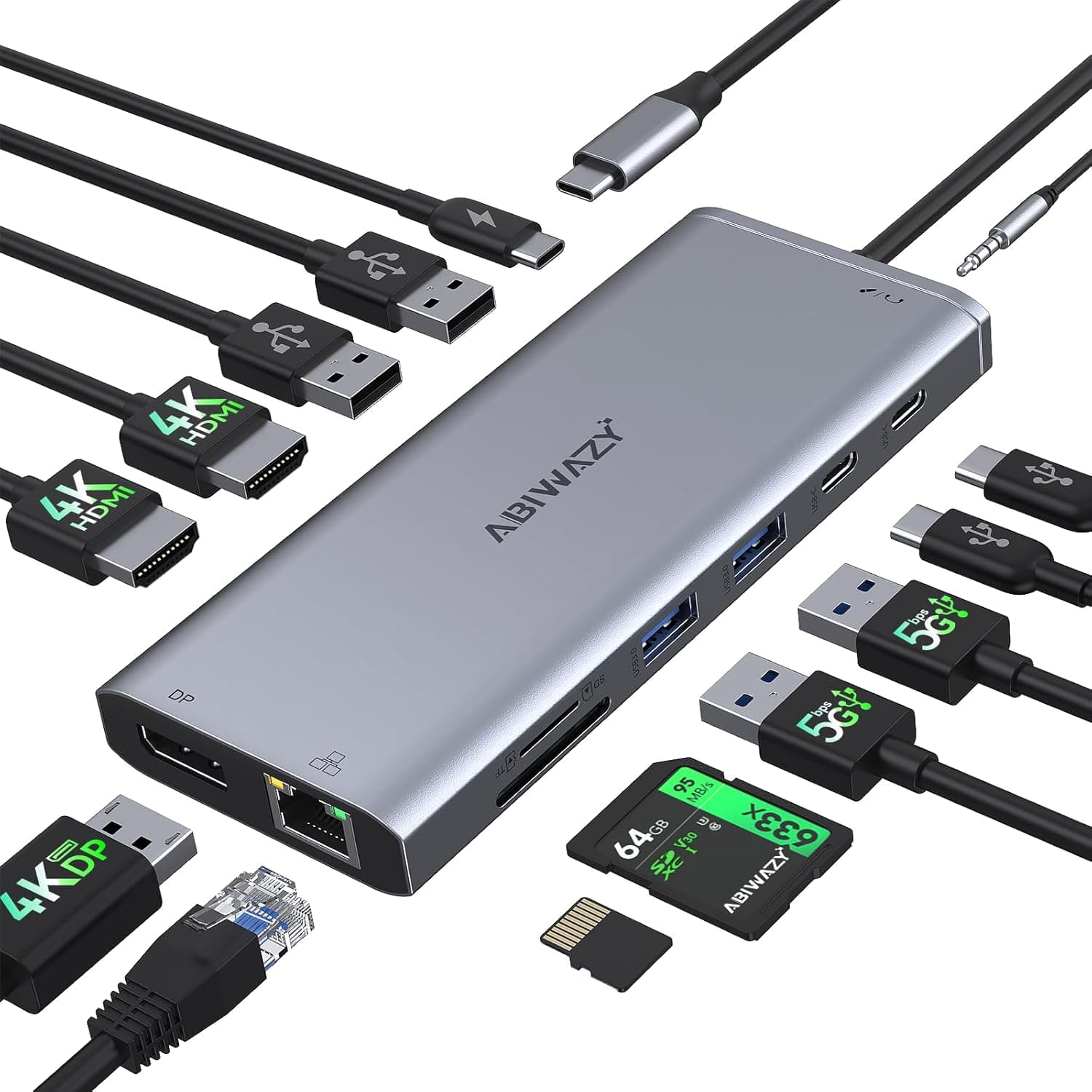
A USB C docking station for 3 monitors with dual HDMI, 4K DisplayPort, PD, Ethernet and 7 ports.
Price range: See on Amazon
What we liked
- + Supports 3 monitors for a large multi-screen workspace
- + Ethernet port gives a stable wired connection for calls
- + PD passthrough keeps the laptop charging while docked
Trade-offs
- - Triple monitor output needs a laptop that supports it
- - Generic brand offers little firmware or driver support
Who this docking station is aimed at
This dock targets people setting up a multi-monitor home office who want one cable from a laptop to power the whole desk, according to the retail listing that describes support for up to three external monitors through dual HDMI and a DisplayPort output. That makes it a fit for anyone using a modern USB-C laptop who wants to add two or three displays, a wired network connection, and charging without juggling separate adapters. It is a weaker fit for owners of older laptops or ones without full USB-C video output support, known as DisplayPort Alt Mode, since triple monitor output depends entirely on what the laptop's own USB-C port can drive, not just the dock.
Ports and specs explained in plain English
The listing describes seven total ports covering dual HDMI, a DisplayPort output for a 4K external monitor, Ethernet for a wired network connection, USB-C power delivery pass-through so the laptop keeps charging while docked, plus additional USB-A and card reader connections, and it is marketed as compatible with common laptop brands including Dell, HP, and Lenovo. This is a generic, non-major-brand accessory rather than a dock from an established peripheral maker, which typically means a lower price but also less published detail on exact power delivery wattage, individual port bandwidth, or firmware support compared with a branded dock. Buyers relying on exact resolution and refresh rate figures for triple 4K output should confirm those details directly with the seller before assuming maximum specs across all three displays at once.
What daily multi-monitor use depends on
In daily use, a dock like this succeeds or fails largely based on the host laptop rather than the dock itself. Most laptops that support external displays over USB-C can drive one or two monitors easily, but a third simultaneous display, especially at higher resolutions, requires the laptop's graphics output to support what is called multi-stream transport, a feature not every USB-C port includes even on business laptops. The Ethernet port is a genuine convenience for video calls and file transfers where Wi-Fi is unreliable, giving a more stable connection than wireless alone. Power delivery pass-through means one cable can both dock the monitors and keep the laptop's battery topped up, which is the main appeal of USB-C docks over older USB 3.0 hubs that could not carry laptop charging power.
Trade-offs against established docking station brands
Compared with docks from established brands that publish detailed spec sheets and driver support pages, this generic dock offers similar core functionality, HDMI and DisplayPort outputs, Ethernet, and USB pass-through, typically at a lower price but with less certainty around firmware updates and long-term driver compatibility. A dock from a brand with a longer track record tends to be a safer bet for business use where downtime from a compatibility issue is costly, while a generic dock like this one is a reasonable choice for a home office on a tighter budget where the buyer is willing to test compatibility with their specific laptop after purchase.
Verdict and who should look at a different dock
This dock is worth considering for a home office setup on a budget where the user already knows their laptop supports multiple external displays over USB-C and mainly wants Ethernet and charging bundled into one cable. It is not the right pick for anyone who needs confirmed triple 4K output without testing first, or for business environments where a documented driver history and long-term support matters more than upfront price. Buyers in that position should look toward a dock from an established peripheral brand with published compatibility lists and clearer wattage specifications instead of a generic, unbranded option like this one.
Frequently asked questions
Will this dock definitely run three monitors on any laptop?
Not necessarily. Triple external monitor support depends on whether the laptop's own USB-C port supports multi-stream transport, so this should be confirmed with the laptop maker before buying for that purpose.
Does this docking station charge the laptop while docked?
Yes, the listing describes power delivery pass-through, so the laptop can charge through the dock while displays and other peripherals stay connected.
Does it include a wired network port?
Yes, an Ethernet port is included among the seven ports listed, giving a wired connection alternative to Wi-Fi.
Which laptop brands is it compatible with?
The listing states compatibility with Dell, HP, and Lenovo laptops with USB-C ports, though any USB-C laptop with video output support should generally work.
Prices change often, so check the current price and availability on Amazon.
Check price on AmazonDesk Upgrade Nest may earn a commission from the link above.