StarTech.com Dual Monitor USB-C Laptop Docking Station, 4K HDMI, DisplayPort, 60W PD (MST30C2DPPD) Review (2026)
Updated September 14, 2026 · Research-based review
Our verdict
This StarTech dock suits Windows laptop users who want two external monitors and laptop charging from one USB-C cable without installing display drivers. The 60W charging and dual video outputs cover most thin-and-light laptops well, though MacBook owners and high-power workstation laptop owners should check compatibility first.
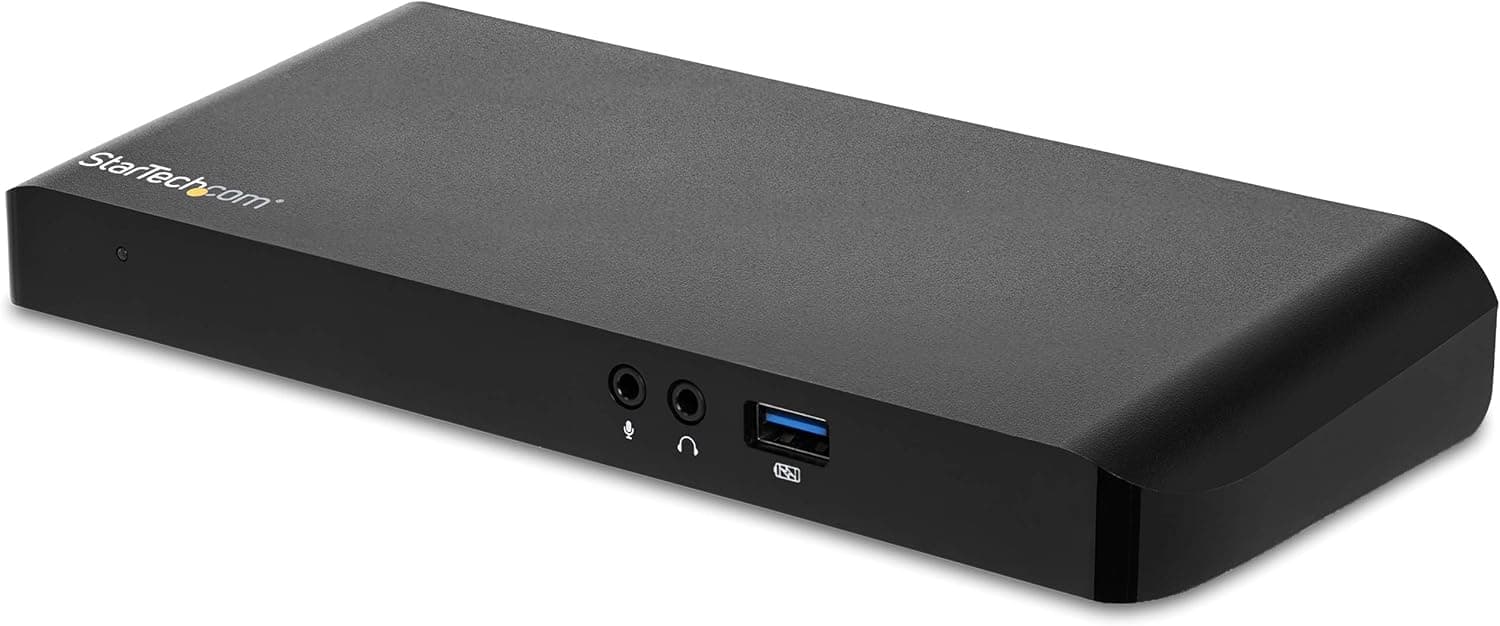
StarTech.com dual monitor USB-C laptop docking station with 4K HDMI, DisplayPort and 60W PD charging.
Price range: See on Amazon
What we liked
- + 60W PD charges many laptops through the same single USB-C cable
- + 4K HDMI and DisplayPort outputs support two external monitors
- + StarTech.com is a trusted business dock brand
Trade-offs
- - 60W may not be enough for power-hungry workstation laptops
- - MacBooks may mirror rather than extend both monitors over MST
Who this docking station fits
This dock is built for anyone working from a single Windows laptop who wants to sit down at a desk, plug in one USB-C cable and immediately have two external monitors, a wired network connection and a charged laptop, all without opening a settings menu to configure display drivers. It suits hybrid or fully remote workers who move a laptop between a home office and other locations, since the whole desk setup collapses down to a single cable. It is a better fit for laptops that support DisplayPort Alt Mode and USB Power Delivery over their USB-C port than for older laptops with only USB-A ports, and it is aimed more at general office and video call work than at power-hungry tasks like video editing or gaming that need more than 60W of charging.
Ports, power and video explained
The dock connects to a laptop over a single USB-C cable and provides one HDMI output and one DisplayPort output, letting two external monitors run at up to 4K resolution using this multi-stream style dual-video setup. It also delivers up to 60 watts of Power Delivery back to the laptop through that same cable, enough to charge most thin-and-light business laptops while they are docked, though larger workstation laptops with higher-wattage chargers may not fully charge under heavy use. Beyond video and power, the dock adds extra USB 3.0 ports for a mouse, keyboard or external drive, a Gigabit Ethernet port for a wired network connection, and audio jacks for a headset, effectively acting as the single connection point for a full desk setup.
Setting it up and using it day to day
Setup is meant to be plug and play, StarTech markets this dock as needing no display driver installation, so connecting the USB-C cable should bring up both monitors automatically on a compatible Windows laptop. Day to day, the appeal is the single-cable workflow, arriving at the desk means connecting one cable rather than several separate video, power and USB cords each time. It is worth checking that a laptop's USB-C port explicitly supports DisplayPort Alt Mode and Power Delivery before buying, since a USB-C port that only handles data and charging will not be able to drive external displays through this dock. StarTech backs the dock with a 3-year warranty and free lifetime technical support, which is longer coverage than many budget docking stations offer.
Trade-offs and how it compares
The two limitations worth knowing are the 60W charging ceiling, which can fall short for larger workstation-class laptops that ship with 90W or 130W chargers, and the way this dock uses multi-stream transport to drive two monitors, a method that MacBooks generally do not support for extending two separate displays, so Mac users may see the screens mirrored rather than extended. Compared with the Plugable Universal Docking Station, which supports both USB-C and older USB 3.0 laptops for broader compatibility, this StarTech dock is USB-C only, trading flexibility for a simpler single-cable design. Compared with higher port-count docks like the Selore 14-in-1, which adds a third monitor output and more total ports, this StarTech unit focuses on doing dual 4K monitors and 60W charging well rather than maximizing port count.
Verdict and who should pick something else
For Windows laptop users who want a clean single-cable dual-monitor setup with solid charging and a strong warranty, this dock earns its score of 8.2 out of 10, backed by the 3-year coverage and the simplicity of plugging in one cable. MacBook owners planning to extend two separate external displays should verify compatibility first or look at a dock built specifically for Mac multi-monitor use, and anyone with a workstation laptop that needs more than 60W of charging should look at a higher-wattage dock instead. For most everyday office and video-call setups on a Windows laptop, though, this StarTech dock covers the core needs well.
Frequently asked questions
Can this dock power two external monitors at once?
Yes, it provides one HDMI and one DisplayPort output that together support two external monitors at up to 4K resolution.
How much laptop charging does it provide?
Up to 60 watts of Power Delivery through the same USB-C cable used for video and data, which covers most thin-and-light laptops but may not fully charge larger workstation laptops under heavy load.
Does it work with MacBooks for dual external monitors?
It uses multi-stream transport for its dual video output, which most MacBooks do not support for extending two separate displays, so Mac users should check compatibility before relying on this dock for two extended screens.
Does it need driver software installed?
StarTech markets it as working without separate display driver installation on supported Windows laptops, so it should function as plug and play.
Prices change often, so check the current price and availability on Amazon.
Check price on AmazonDesk Upgrade Nest may earn a commission from the link above.