Novtech Computer Monitor Light Bar with Auto-Dimming and Stepless Hue Adjustment Review (2026)
Updated September 21, 2026 · Research-based review
Our verdict
The Novtech light bar suits anyone who wants a monitor-mounted lamp that clears the desk and lets them dial in exact color and brightness. Auto-dimming and a wide 3000K to 6500K range are the strengths, while touch controls that can nudge the bar out of place are the trade-off.
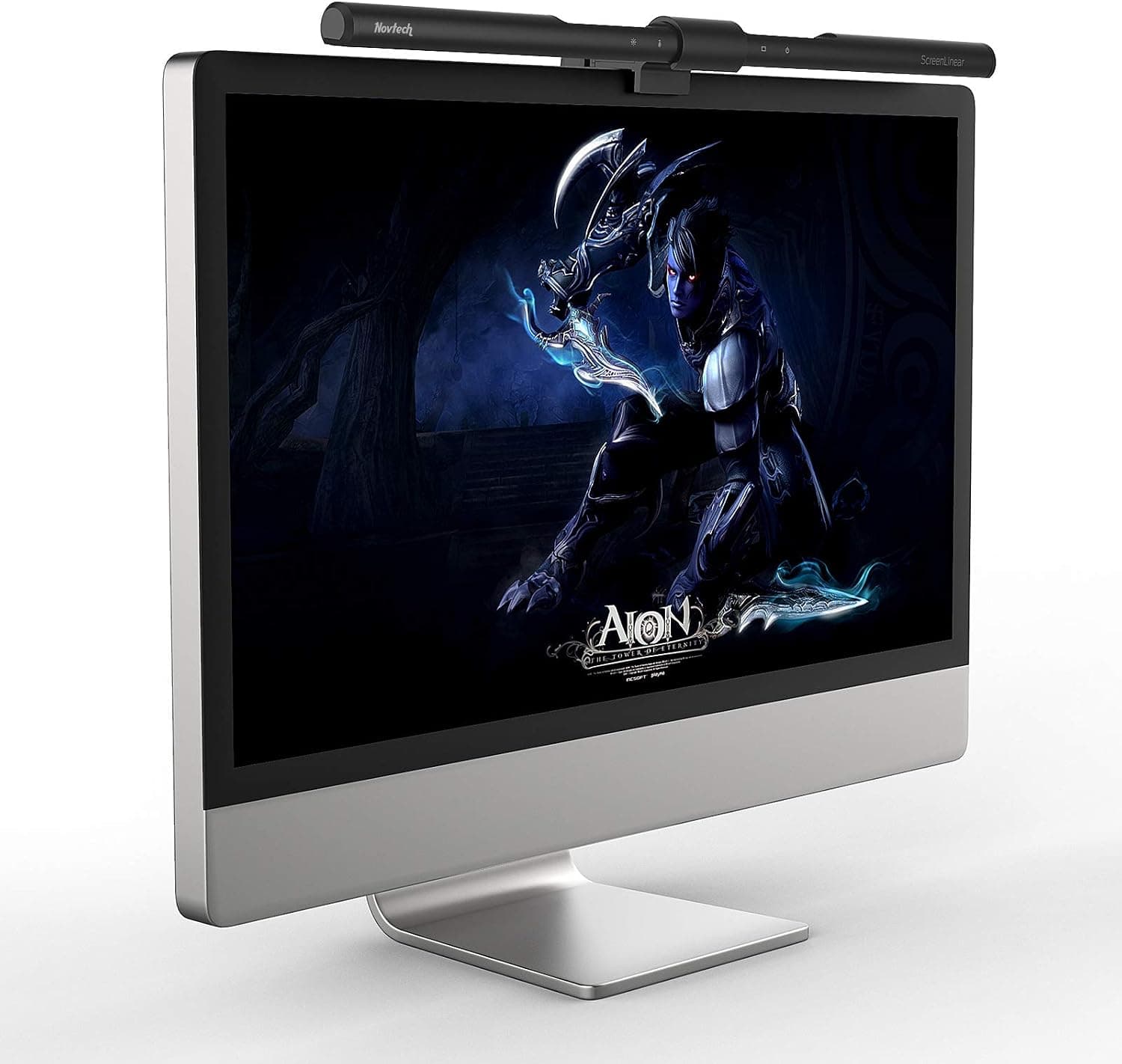
Novtech computer monitor light bar with auto-dimming and stepless hue adjustment for flexible color tuning.
Price range: See on Amazon
What we liked
- + Stepless hue adjustment tunes the exact warmth of the light
- + Auto-dimming mode keeps brightness steady as daylight changes
- + Monitor-mounted design keeps the desk surface clear
Trade-offs
- - Touch controls on the bar can nudge the light out of position
- - Weighted clip may slip on monitors with sloped backs
Who this light bar is for
The Novtech bar is built for a single-monitor desk where clamp lamps and floor lamps already feel like clutter. Because it hangs off the top edge of the screen rather than standing on the desk, it frees up the same footprint a stand-alone lamp would eat, which matters most on small desks, standing desks, or setups with a keyboard already crowding the surface. It suits people doing video calls, reading long documents, or coding at night who want even light on the desk without brightness bouncing back off the screen. Anyone who wants RGB effects or a decorative centerpiece should look elsewhere, since this is a strictly functional task light. But for a person whose main complaint is glare or a too-dark desk after sunset, and who wants one light that adapts through the day instead of a fixed bulb, the auto-dimming and wide color range solve that directly.
What the spec sheet actually means
The bar uses CRI95+ LEDs, a rating that means colors on a page or a physical object next to the monitor render close to how they look in natural daylight, which matters for anyone comparing print proofs or doing detailed reading. Color temperature adjusts steplessly from 3000K, a warm amber tone, up to 6500K, a cooler daylight tone, so the same lamp can suit a cozy evening session or a bright midday workspace. Auto-dimming works through a touch key that reads ambient light and ramps brightness up over 7 to 8 seconds in a dark room rather than jumping straight to full output. A memory function stores the last brightness and color setting used, so the bar returns to a preferred mix after being switched off rather than resetting to a default every time.
Setting it up and living with it
The bar is powered over USB, so it can run from the computer itself, a wall charger, or a power bank, which keeps cabling simple compared with a lamp that needs its own outlet. It comes with two thickness-adjusting covers so the mounting clip can grip different monitor bezel depths, from thin modern panels to thicker older screens. Placement is straightforward: clip it to the top edge, angle it down slightly so light spreads across the desk rather than back into the eyes, and let the auto-dimming key handle brightness afterward. Because the controls sit directly on the light bar, adjusting brightness or color means reaching up and touching the unit itself, which can shift its angle slightly over repeated use and occasionally needs a quick re-aim.
Where it falls short of rivals
Within monitor light bar guides, the Novtech typically lands in the middle of the pack behind established names like the BenQ ScreenBar Plus and Quntis models, which pair similar dimming ranges with a desktop dial that avoids touching the bar to adjust it. That dial-based control is the main gap here, since touch controls mounted on the bar itself mean every brightness change involves reaching up rather than turning a separate knob on the desk. The Novtech's CRI95+ rating and full 3000K to 6500K range are competitive on paper with pricier bars, so the difference shows up more in day-to-day handling than in raw light quality. Shoppers who prioritize a stable, never-touched mounting position over price may find the extra cost of a dial-controlled bar worth it.
Verdict and who should look elsewhere
Choose the Novtech if the goal is a monitor-mounted lamp with genuinely wide color and brightness range at a moderate price, and if reaching up to tap the bar occasionally is not a dealbreaker. It is a sensible pick for a single monitor on a desk with limited space, especially for anyone who works varied hours and wants the light to shift from warm evening tones to cooler daytime light without swapping bulbs. Skip it if the monitor has a sloped or unusually thick back edge, since the clip may not seat as securely, or if a physical control dial matters more than saving desk space. For a straightforward, budget-friendly upgrade over no task lighting at all, it does the job well.
Frequently asked questions
What color temperature range does the Novtech light bar cover?
It adjusts steplessly from 3000K, a warm tone, up to 6500K, a cooler daylight tone, controlled by long-pressing the dimming key.
How is the Novtech monitor light bar powered?
It runs over USB and can be powered from a computer, a phone charger, or a power bank.
Does the light bar remember my last brightness setting?
Yes, a memory function stores the last brightness and color temperature used so it returns to that setting after being turned back on.
Will the mounting clip fit a thick monitor bezel?
The kit includes two thickness-adjusting covers designed to fit different monitor bezel depths, from thin modern panels to thicker older screens.
Prices change often, so check the current price and availability on Amazon.
Check price on AmazonDesk Upgrade Nest may earn a commission from the link above.