BenQ ScreenBar Plus e-Reading LED Monitor Light Bar with Desktop Dial Review (2026)
Updated September 21, 2026 · Research-based review
Our verdict
The ScreenBar Plus suits anyone who wants precise, glare-free desk lighting without giving up desk space, controlled through a wired dial for brightness and color temperature. Coming from a monitor maker gives it a strong reputation for screen-friendly light placement, though it costs more than generic bars with similar basics.
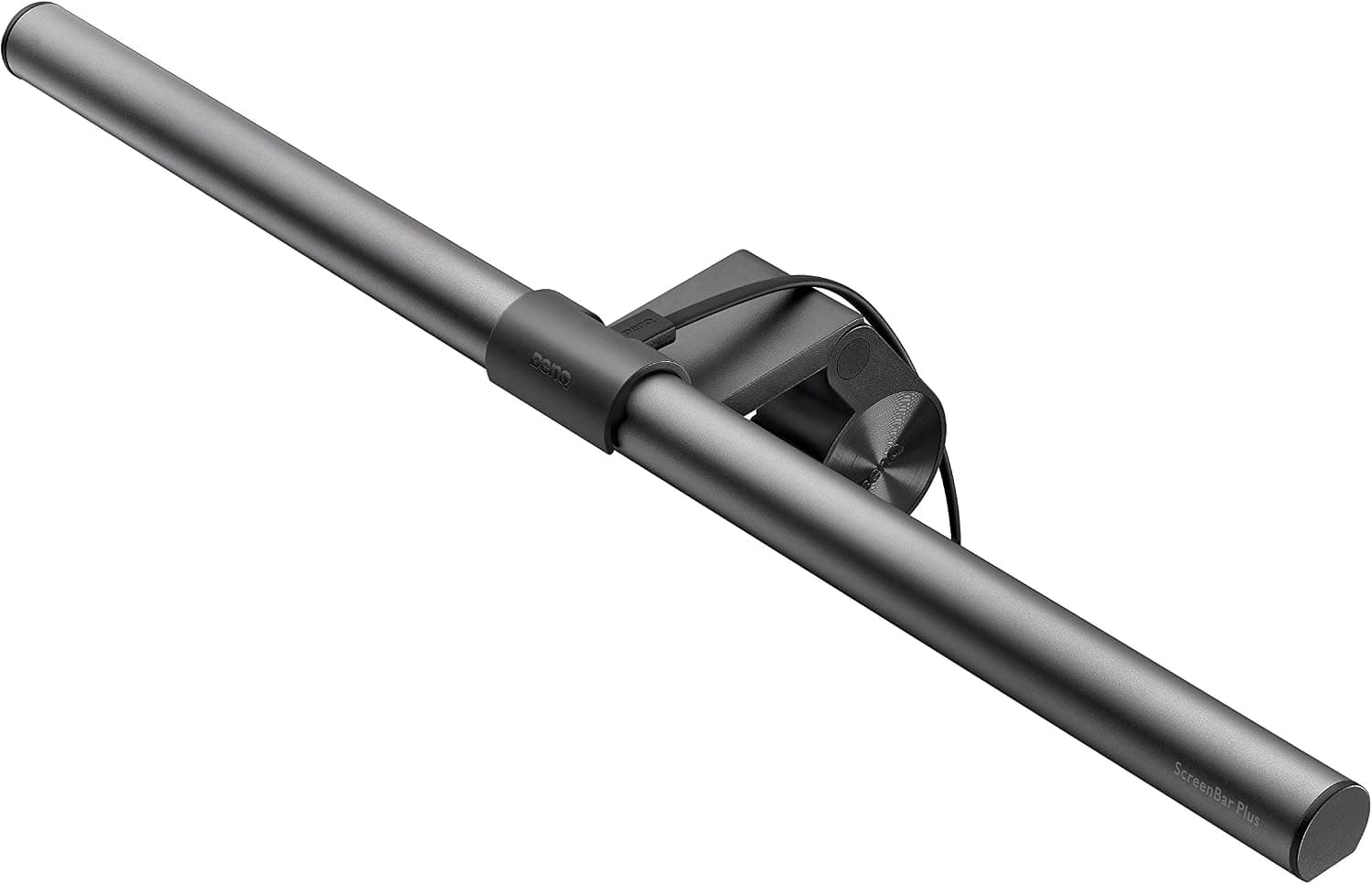
BenQ ScreenBar Plus e-Reading LED monitor light bar with a desktop dial, a premium pick from a monitor maker.
Price range: See on Amazon
What we liked
- + Desktop dial controls brightness and color without reaching up
- + BenQ designs monitors, so the bar is tuned to avoid screen glare
- + ScreenBar line is a well-regarded benchmark for monitor lights
Trade-offs
- - Priced well above generic light bars with similar basics
- - Dial cable adds another wire running across the desk
A light bar from a monitor company
BenQ built its reputation making monitors before entering the desk lighting category, and the ScreenBar line leans on that background by designing a light positioned and angled specifically to illuminate the desk without shining glare back into the screen or the user's eyes. This is the main differentiator buyers weigh against generic light bars from brands with no monitor design history: BenQ's stated design goal is avoiding the harsh reflections that a poorly aimed desk lamp can cause on a glossy or matte monitor. For anyone who has struggled with screen glare from a standard desk lamp, that monitor-industry background is the clearest reason to consider paying more for this bar over a cheaper alternative.
Mounting without a base on the desk
The ScreenBar Plus clamps directly onto the top edge of a monitor using a patented clamp and counterweight mechanism rather than a stand that takes up desk space, and it is built to fit monitors with a top edge thickness between roughly 0.4 and 1.2 inches, covering flat, curved, and dual-monitor setups. Because there is no base sitting on the desk, the area directly in front of the keyboard stays completely clear, an advantage over lamp-style lights that need floor space for a weighted base. The clamp design also means no adhesive or screws are needed, so it can be moved to a different monitor without leaving marks.
Brightness, color temperature, and the control dial
A desktop dial connected by cable to the light bar controls both brightness across 15 levels and color temperature across 8 choices spanning 2700K warm light to 6500K cool light, letting users match the lighting to the task or time of day without reaching up to the bar itself. The dial also enables a smart auto-dimming mode that uses a built-in ambient light sensor to detect the room's existing brightness and automatically supplement it toward a recommended light level, reducing the need to manually readjust the bar as natural light changes throughout the day. Center illuminance measures at roughly 930 lux directly below the bar at typical monitor height.
Light quality and coverage
BenQ rates the ScreenBar Plus with a Color Rendering Index above 95, a measure of how accurately colors appear under the light compared with natural daylight, which is a notably high figure relevant to anyone doing color-sensitive work like photo editing, design, or reading fine print for long stretches. The light covers roughly 60 by 30 centimeters of desk space at 500 lux, a widely used reference brightness for reading and desk tasks, giving even illumination across a typical desk area in front of a monitor rather than a narrow spotlight that leaves the edges of the desk dim.
Weighing the price against the basics
The clearest trade-off is price: generic monitor light bars with a basic dimmer and a handful of color temperature settings sell for noticeably less than the ScreenBar Plus, and buyers who only need a simple on-off desk light with basic dimming may not need everything this bar offers. The separate wired control dial, while convenient for one-handed adjustment without reaching up to the bar, does add one more cable running across the desk compared with bars that put buttons directly on the light itself. For buyers who value the higher CRI rating, the wide brightness and color temperature range, and BenQ's screen-aware design background, the added cost buys a more refined lighting experience than a basic light bar delivers.
Frequently asked questions
Does the ScreenBar Plus need a stand or base on the desk?
No, it clamps directly onto the top edge of a monitor using a counterweight mechanism, leaving the desk surface underneath completely clear.
What does the desktop control dial do?
It adjusts brightness across 15 levels and color temperature across 8 choices from 2700K to 6500K, and can enable an auto-dimming mode using a built-in ambient light sensor.
What monitor thicknesses does it fit?
It is built to clamp onto monitors with a top edge thickness of roughly 0.4 to 1.2 inches, and works with flat, curved, and dual-monitor setups.
How accurate are the colors under this light?
BenQ rates it with a Color Rendering Index above 95, a high figure suited to color-sensitive tasks like photo editing or design work.
Prices change often, so check the current price and availability on Amazon.
Check price on AmazonDesk Upgrade Nest may earn a commission from the link above.