SUMKUMY Monitor Light Bar Dual Light No Glare, CRI 95, 3 Color Modes, Dimmable Review (2026)
Updated September 14, 2026 · Research-based review
Our verdict
The SUMKUMY light bar suits anyone who wants a front task light for the desk plus a softer rear glow behind the monitor to cut screen contrast. CRI 95 and three color temperatures make it accurate for detail work, though the rear light only helps if there is a wall or surface behind the screen.
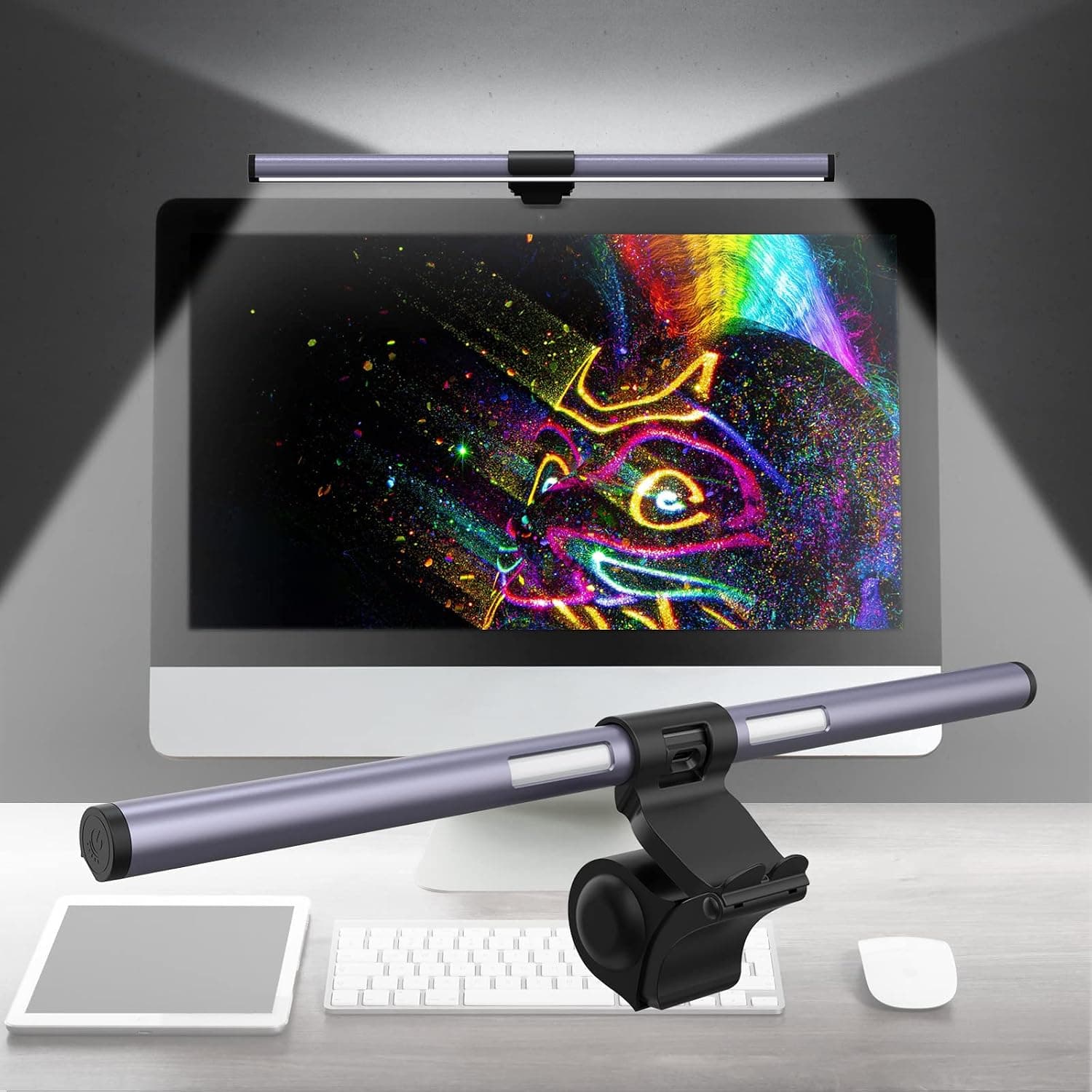
SUMKUMY dual light monitor light bar with CRI 95, 3 color modes and dimming, lighting both desk and wall.
Price range: See on Amazon
What we liked
- + Dual light design adds a rear backlight to cut eye strain
- + CRI 95 rating shows accurate colours for drawing and crafts
- + 3 color modes switch between warm and cool light
Trade-offs
- - Rear light needs a wall or surface behind the monitor to be useful
- - SUMKUMY is less known than BenQ or Quntis
Who benefits from a dual light bar
The SUMKUMY light bar is aimed at people who spend long hours looking at a monitor and want to reduce the harsh contrast between a bright screen and a dark room, a common cause of eye fatigue. Unlike a simple desk lamp, this is a screen mounted bar that lights the desk and keyboard from above the display without shining glare back into the screen, while a second light faces backward to softly illuminate the wall or area behind the monitor. That combination suits designers, writers, students and anyone doing close detail work like drawing or crafts where accurate color rendering matters. Gamers or streamers working in dim rooms at night are another natural fit, since the backlight reduces the stark brightness gap between screen and surroundings that makes eyes tire faster during long sessions.
The specs behind the eye comfort claims
SUMKUMY rates this bar at a CRI of 95 or higher, a measure of how accurately a light source renders true colors compared with natural daylight, which is a meaningfully higher figure than the CRI 80 range common on cheaper lamps. It offers three color temperature settings, spanning a warm tone around 3100K, a neutral tone around 4200K, and a cooler white around 6200K, letting the light match daytime work or evening wind-down. The bar runs on USB power at 5 volts and is rated for a modest 5 watts at maximum output, so it draws little power and can run from a laptop port or USB hub. An asymmetric optical design aims light down at the desk and keyboard rather than straight out, which is the mechanism that keeps glare off the screen itself.
Mounting it and using it day to day
The bar clips onto the top edge of a monitor without a stand taking up desk space, a design shared with most screen light bars in this category. Because it draws power over USB, cable routing usually means running a short lead down to a USB port on the PC, a monitor's built-in hub, or a nearby outlet adapter. Controls are handled through a touch sensor on the bar itself, letting a user cycle color temperature and adjust brightness without hunting for a separate remote or app. Because the rear backlight only illuminates whatever is directly behind the monitor, its benefit depends on desk setup: a monitor pushed against a wall gets a visible ambient glow, while one sitting in open space or facing a window sees little effect from that second light.
How it stacks up against the category leaders
Among monitor light bars, the SUMKUMY sits in the middle of the pack behind category leaders like the BenQ ScreenBar Plus and the Quntis bar, both of which add auto-dimming sensors that read the room and adjust brightness automatically rather than relying only on manual touch controls. Those two also carry stronger brand recognition in the lighting space, which matters for buyers who weigh long-term reliability heavily. What sets the SUMKUMY apart from cheaper light bars further down this guide is the dual light design itself, since most rivals only light the desk and skip the rear backlight feature entirely, making this one of the few in its price range offering both effects together.
Verdict on whether to buy it
Pick the SUMKUMY if eye strain from staring at a bright screen in a dim room is the main problem, and if the extra rear backlight against a wall or shelf sounds genuinely useful rather than a curiosity. The CRI 95 rating and three color temperatures make it a solid choice for color sensitive work like illustration or photo editing on the side. Buyers who want automatic brightness sensing without touching a control should instead consider the BenQ or Quntis bars ranked above it, which handle that adjustment on their own. For a budget conscious upgrade that still delivers accurate, glare-free desk lighting, this bar earns its place in the middle of the category.
Frequently asked questions
What does CRI 95 mean for the SUMKUMY light bar?
CRI, or color rendering index, measures how accurately a light shows true colors. A rating of 95 or higher is close to natural daylight, useful for design, drawing or photo work.
How is the SUMKUMY light bar powered?
It runs on USB power at 5 volts and a maximum of about 5 watts, so it can be powered from a laptop, a monitor's USB hub or a wall adapter.
Does the backlight work on any monitor placement?
The rear backlight illuminates whatever surface sits directly behind the monitor, so it is most noticeable when the screen is close to a wall and less visible in open desk space.
How many color temperature settings does it have?
There are three color modes, roughly a warm 3100K, a neutral 4200K, and a cooler 6200K, adjustable through the touch sensor on the bar.
Prices change often, so check the current price and availability on Amazon.
Check price on AmazonDesk Upgrade Nest may earn a commission from the link above.