PolaTab Conference Room Camera 3-in-1 1080p Webcam with Mic and Speaker Review (2026)
Updated September 14, 2026 · Research-based review
Our verdict
The PolaTab 3-in-1 conference camera fits small teams that want one device covering camera, microphone, and speaker duty around a single table. It simplifies setup for huddle rooms, but a single-person home office will find its speaker and wide 95 degree lens more than they need for everyday video calls.
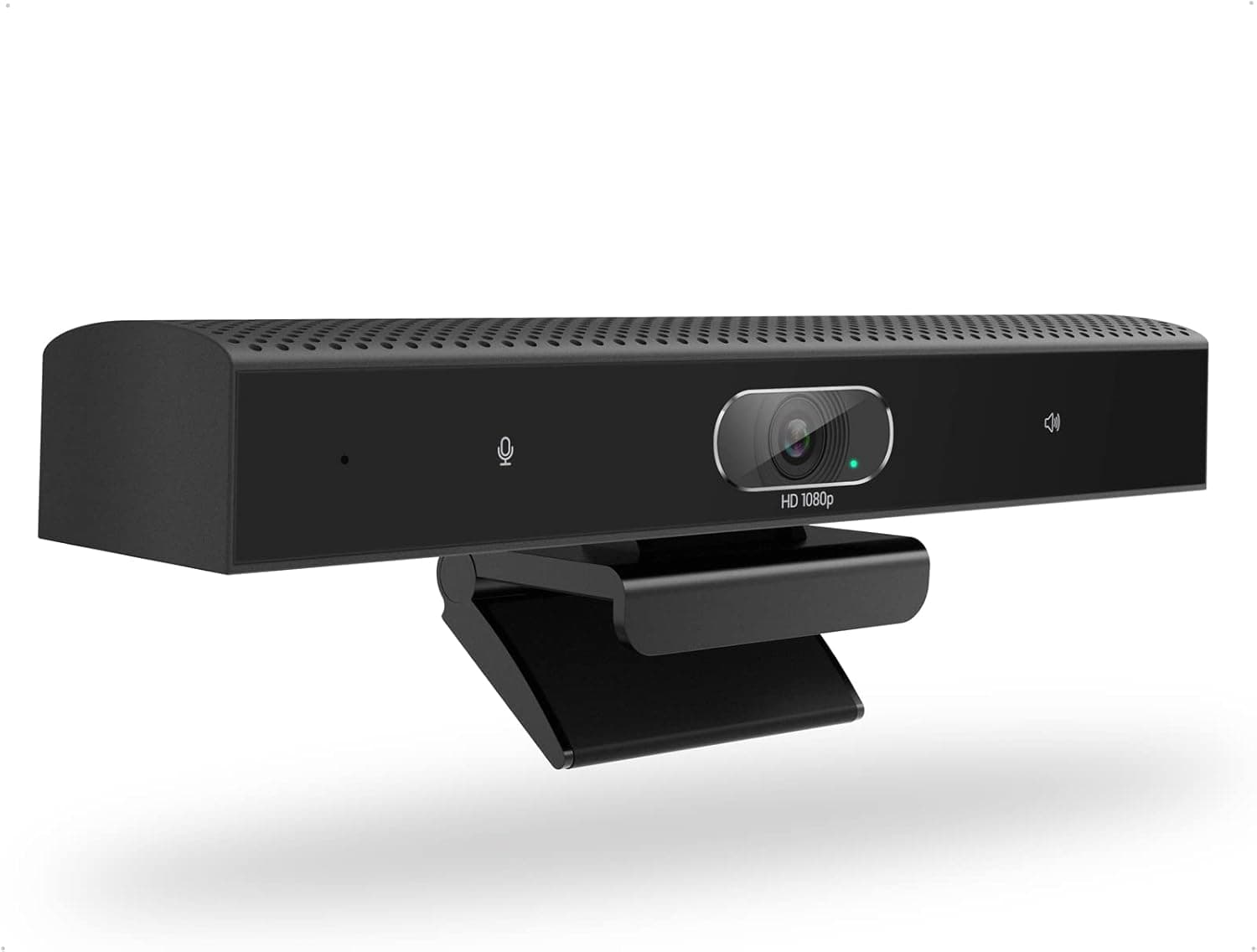
PolaTab 3-in-1 conference room camera with 1080p webcam, mic and speaker for small group meetings.
Price range: See on Amazon
What we liked
- + 3-in-1 design combines camera, microphone and speaker
- + Conference room focus suits small teams around one table
- + Reduces setup to one device for huddle rooms
Trade-offs
- - Built-in speaker quality will not match dedicated speakerphones
- - Overkill for a single-person home office setup
Who this conference camera is built for
PolaTab designed this camera around small group meetings rather than a solo desk setup, combining a camera, microphone, and speaker into one USB device according to the product listing. That makes it a good fit for a huddle room or a small conference table where two to four people gather around a laptop, since a single cable replaces what would otherwise be a separate webcam, speakerphone, and microphone. It is a poor match for a single-person home office, where a simpler webcam without a built-in speaker would be lighter on the desk and easier to pair with headphones. Offices standardizing on one video device per small meeting room, rather than per person, are the clearest audience here.
Camera, audio, and connection specs explained
The camera captures 1080p video at up to 30 frames per second using an IMX307 image sensor, with a 95 degree field of view wide enough to keep several people in frame around a table, according to the listing. The omnidirectional microphone and full-range speaker use DSP processing for echo cancellation and noise reduction, features aimed at group calls where voices come from different distances and directions. It connects over USB 2.0 with a roughly 6-foot cable and is plug and play, so there is no separate driver install on Windows or macOS, and it works with common conferencing apps including Zoom, Microsoft Teams, Skype, and WebEx. A universal clip lets it sit on a laptop, TV, or monitor, and it can also mount on a tripod.
What daily use in a meeting room looks like
In practice, the value of a 3-in-1 design shows up most clearly when setting up a room quickly, since one USB cable handles video, voice pickup, and playback instead of juggling three separate devices and their own cables. The wide field of view means the camera can usually stay in one fixed spot on a monitor or wall and still frame everyone at a small table, rather than needing to be repositioned each meeting. Because the microphone is omnidirectional, people do not need to lean toward the camera to be heard clearly, which matters in a room where seating is not fixed. The built-in speaker adds convenience but is a small unit built into a webcam housing, so voice clarity for a full room is reasonable rather than loud.
Trade-offs against dedicated webcams and speakerphones
Against a single-purpose 1080p webcam paired with a dedicated speakerphone, this all-in-one unit gives up some audio quality and volume for the convenience of one device and one cable. A dedicated speakerphone built for conference rooms will generally project clearer, louder audio across a larger table than a speaker built into a webcam housing. On the other hand, a basic single-purpose 1080p webcam with a simple built-in microphone, without the added speaker or DSP processing, is a better and simpler fit for one person at a desk who already uses headphones or desktop speakers, since that buyer does not need the conference room features this camera is built around.
Verdict and who should pick something else
This camera makes sense for a small team that wants to equip a huddle room quickly with one plug and play device rather than assembling separate camera, microphone, and speaker hardware. It is not the ideal choice for a single desk in a home office, where the built-in speaker and wide conference framing go unused and a simpler webcam would suit daily video calls just as well. Teams that need to cover a larger conference room should look at dedicated speakerphone and camera combinations built for bigger spaces instead of this compact 3-in-1 unit.
Frequently asked questions
How many people can this camera frame in a meeting?
Its 95 degree field of view is designed for a small conference table, comfortably framing a few people rather than a large room.
Does the PolaTab camera need drivers installed?
No, the listing describes it as plug and play over USB, working with Windows and macOS without extra driver software.
Which video calling apps does it work with?
The manufacturer lists compatibility with Zoom, Microsoft Teams, Skype, WebEx, and Google Voice among other conferencing apps.
Is this camera a good fit for a single home office desk?
It can work, but its conference-room features like the built-in speaker and wide framing are built for small groups, so a simpler personal webcam often suits a solo desk better.
Prices change often, so check the current price and availability on Amazon.
Check price on AmazonDesk Upgrade Nest may earn a commission from the link above.