Logitech M570 Wireless Trackball Mouse, Ergonomic Sculpted Right-Hand Review (2026)
Updated September 14, 2026 · Research-based review
Our verdict
The M570 suits right-handed desk workers who want a mouse that stays put while a thumb does the steering. Its main strength is a sculpted, all-day comfortable shape at a modest price, and the main trade-off is a ball that needs occasional cleaning and no left-hand version.
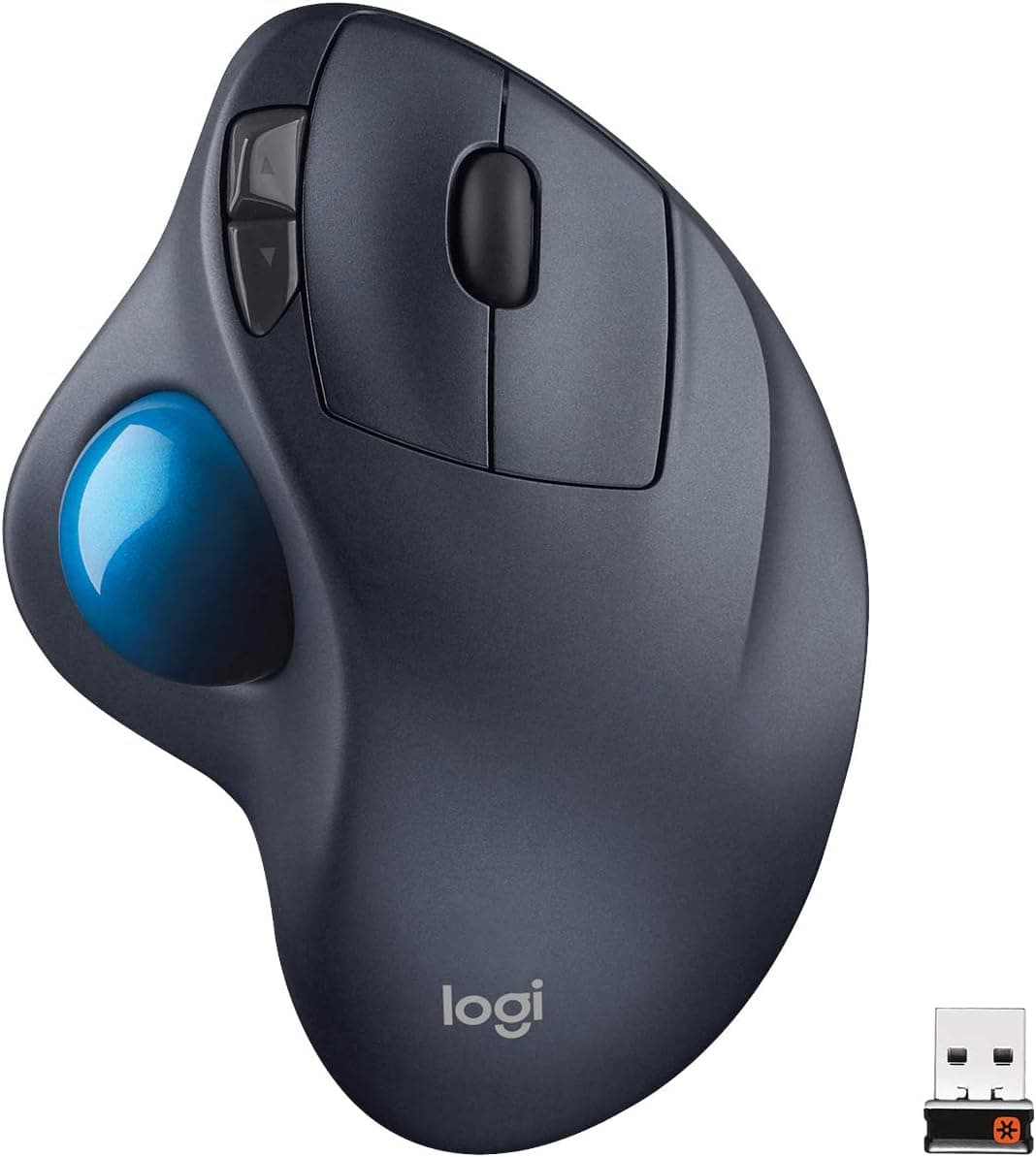
Logitech M570 wireless trackball mouse with an ergonomic sculpted right-hand shape, a classic thumb-operated trackball.
Price range: See on Amazon
What we liked
- + Thumb trackball means the mouse stays still and the arm relaxes
- + M570 is a long-running and widely trusted design
- + Sculpted right-hand shape supports the palm comfortably
Trade-offs
- - Right hand only, with no left-handed option
- - Ball needs regular cleaning to avoid sticky tracking
Who this trackball is built for
The M570 targets people who spend long stretches at a desk and want to stop dragging a mouse across a pad. Because the cursor moves from thumb pressure on the ball rather than from moving the whole hand, the forearm and shoulder can stay relaxed in one spot all day. That makes it a good match for tight desks, standing setups, or anyone nursing wrist or forearm strain from a conventional mouse. It is built only for right-handed use, with a sculpted body that cradles the palm and fingers on that side, so left-handed users should look elsewhere. It is not aimed at fast-twitch gaming, where a direct-tracking mouse still has an edge, but for browsing, spreadsheets, writing, and general navigation it covers the basics well.
Layout, sensor, and build explained
The body measures about 3.74 inches tall, 5.71 inches wide, and 1.77 inches deep, and weighs roughly 142 grams with its battery installed, so it sits solidly under the palm without feeling heavy. A large thumb ball sits to the left of the main body, with a laser sensor reading its motion, while the index and middle fingers rest on the usual left and right click buttons plus a scroll wheel. Logitech lists five programmable buttons in total, including a couple placed near the thumb for back and forward browser navigation. The dark gray plastic shell has a matte, sculpted finish rather than glossy trim, which keeps grip steady during long sessions and avoids the slippery feel some lower cost mice have.
Setup, daily use, and upkeep
Power comes from a single AA battery, and Logitech rates the M570 for up to eighteen months of use before a replacement is needed, which is long enough that most owners forget it runs on a battery at all. Connection is through a small USB Unifying receiver that plugs into the computer and stays there, with a wireless range of roughly ten meters. The same receiver can pair additional Unifying mice or keyboards, so a keyboard can share the same USB port instead of taking a second one. It works with both Windows and macOS. The one regular chore is cleaning the trackball itself, since dust and skin oils build up on the ball and rollers over time and can make the cursor feel sticky or jumpy if left unattended.
Trade-offs and where it sits among trackballs
The two real limits are the right-hand-only shape, which rules it out for left-handed households, and the need for periodic ball cleaning that a standard optical mouse does not require. Inside our trackballs guide it ranks third of seven with a score of 8.6, behind Logitech's own MX Ergo and MX Ergo S, both scored 9.2, which add a rechargeable battery, a tilting base, and a larger precision wheel for a noticeably higher price. It sits just ahead of the Logitech Ergo M575S, scored 8.6 in both its color options, which is more compact and adds Bluetooth alongside the receiver but uses a smaller ball. Compared with those newer models, the M570 feels plainer but proven, with a shape that has barely changed in over a decade of use.
Verdict and who should look elsewhere
Anyone wanting a dependable, right-handed trackball that will not need charging and costs less than Logitech's premium ergo lineup should be comfortable choosing the M570. Our score of 8.6 out of 10 reflects strong value and a solid fit for everyday desk work, with slightly lower marks on build and features next to the newer MX Ergo models. Left-handed users, anyone who wants Bluetooth pairing without the receiver, or buyers who prefer a rechargeable battery and a tilting base should look at the MX Ergo, MX Ergo S, or the Ergo M575S instead. For a straightforward, long-lasting trackball on a modest budget, though, the M570 remains an easy recommendation for right-handed desks.
Frequently asked questions
Does the Logitech M570 work on Mac and Windows?
Yes, Logitech lists the M570 as compatible with both Apple Mac and Microsoft Windows computers through its USB Unifying receiver.
What battery does the M570 use and how long does it last?
It runs on a single AA battery, and Logitech rates it for up to eighteen months of typical use before the battery needs replacing.
Is the Logitech M570 available for left-handed users?
No, the M570 is sculpted specifically for right-hand use only, so left-handed shoppers will need a different trackball or an ambidextrous mouse.
Can the M570 share a receiver with a Logitech keyboard?
Yes, the Unifying receiver it uses can pair with other compatible Logitech Unifying mice and keyboards, letting several devices share one USB port.
Prices change often, so check the current price and availability on Amazon.
Check price on AmazonDesk Upgrade Nest may earn a commission from the link above.