Logitech MX Ergo Wireless Trackball Mouse, Rechargeable, Graphite Review (2026)
Updated September 21, 2026 · Research-based review
Our verdict
The MX Ergo suits anyone who wants a premium, adjustable trackball for reducing wrist strain during long desk sessions. Its tilting hinge, rechargeable battery, and dual wireless modes justify the price for daily use, though the higher cost and heavier base make it a poor fit for casual or travel needs.
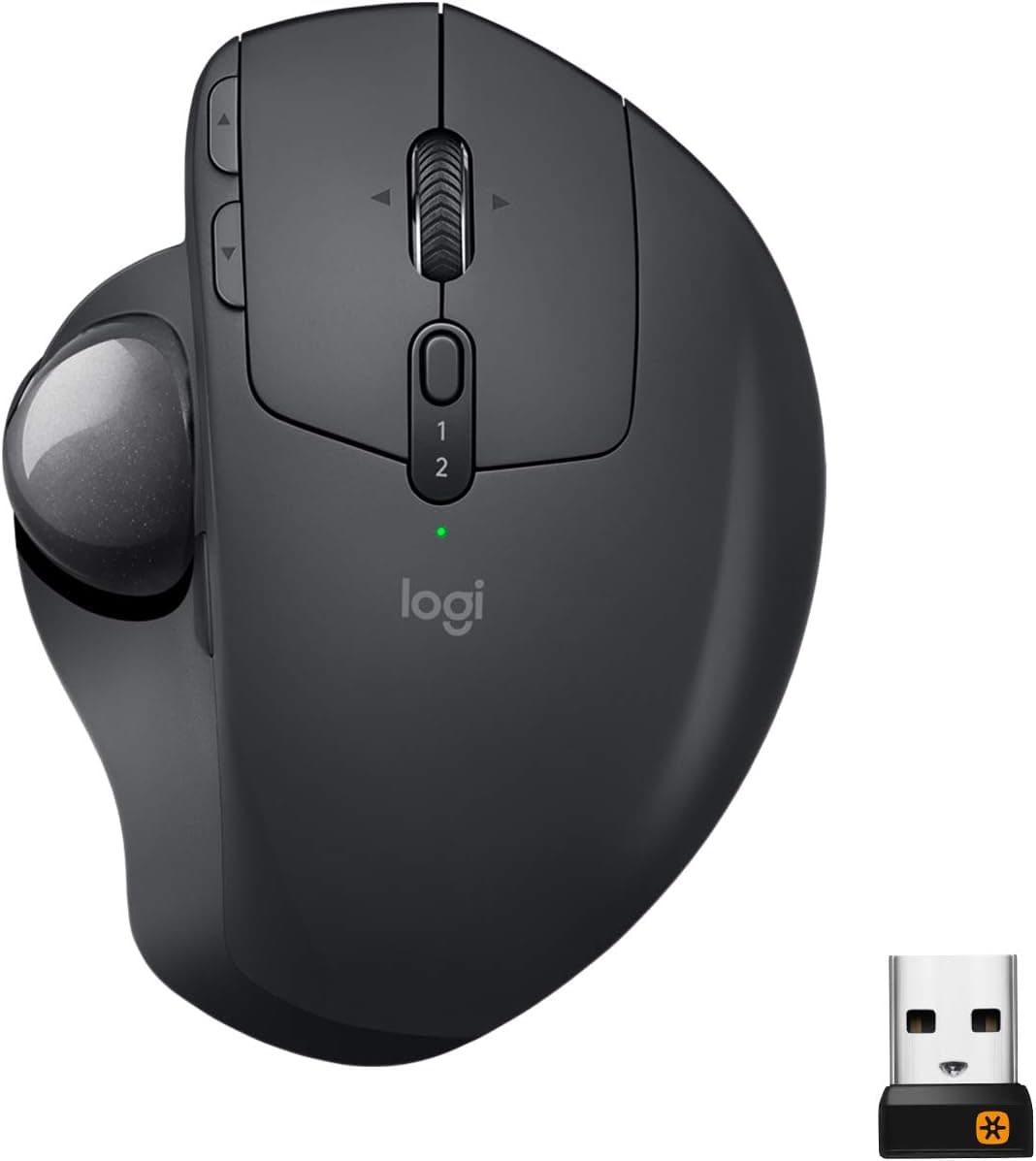
Logitech MX Ergo rechargeable wireless trackball mouse in graphite, a premium adjustable trackball.
Price range: See on Amazon
What we liked
- + Adjustable hinge tilts the mouse for a more natural wrist angle
- + Rechargeable battery lasts for extended use between charges
- + MX line supports multi-device switching and custom buttons
Trade-offs
- - Premium price is much higher than basic trackballs
- - Heavy base is less portable for travel
Who the MX Ergo is built for
The MX Ergo targets people who sit at a desk for hours and want to reduce the repetitive wrist rotation that a traditional mouse requires. A trackball keeps the hand mostly stationary while the thumb moves the ball, which is why many buyers switch to this style after wrist or forearm discomfort from a regular mouse. Logitech markets it as an advanced, adjustable trackball rather than a basic one, and the price reflects that positioning against simpler trackballs. It suits office workers, programmers, and designers who value precision and comfort over portability, and who are willing to pay more for a refined product with a rechargeable battery and dual wireless connections rather than a single basic radio dongle.
The adjustable tilt hinge
The signature feature is a hinge that lets the whole trackball body tilt to a 20 degree angle, moving the wrist toward a more natural, handshake-like position instead of lying flat on the desk. This is the main ergonomic advantage over a fixed trackball or a standard mouse, since a flatter wrist angle is generally considered easier on the tendons during long sessions. The body measures about 5.22 by 3.93 by 2.02 inches and weighs roughly 5.78 ounces without its metal weight plate, or about 9.14 ounces with the plate installed, giving buyers some control over how much the trackball resists sliding on the desk during use.
Battery life and connectivity
A built-in rechargeable lithium-polymer battery rated at 500 mAh powers the mouse for up to about four months on a single charge, according to Logitech, which is a long interval compared with mice that run on disposable batteries needing frequent swaps. Charging uses a USB cable and the mouse can be used while plugged in if the battery runs low at an inconvenient time. Connectivity is dual-mode, supporting Bluetooth 4.1 for pairing directly with a laptop or desktop, as well as Logitech's Unifying receiver for a dedicated USB dongle connection, giving buyers flexibility depending on which ports and wireless standards their computer supports.
Buttons and customization
The MX Ergo has eight buttons in total, including a tilting scroll wheel that clicks left and right, with six of those buttons customizable through Logitech's companion software. That level of programmability lets users assign shortcuts, application switching, or scrolling behavior to suit specific workflows, which is a step up from basic trackballs that offer only left and right click with no software layer. The sensor supports a DPI range from 512 to 2048, giving a wide span between precise, slow cursor movement for detailed work and faster movement for general navigation, adjustable directly from a button on the mouse or through the software.
Where the price shows its limits
The MX Ergo costs noticeably more than entry-level trackballs, and that premium is the main trade-off buyers weigh before purchase. The heavier build, especially with the metal weight plate attached, also makes it less convenient to toss in a bag for travel compared with lighter, more compact mice. Because it predates Logitech's most recent USB-C models, it charges over an older USB standard rather than USB-C, which may matter to buyers who want cable consistency with newer laptops and phones. For a stationary desk setup where comfort and precision matter more than portability or cutting-edge charging ports, these trade-offs are minor next to the ergonomic benefit it delivers.
Frequently asked questions
How long does the MX Ergo battery last?
Logitech rates the built-in rechargeable battery for up to about four months on a single charge, depending on usage.
Can the trackball angle be adjusted?
Yes, a hinge lets the body tilt to a 20 degree angle for a more natural wrist position compared with a flat trackball or mouse.
Does it connect over Bluetooth or a USB receiver?
Both. It supports Bluetooth 4.1 for direct pairing and Logitech's Unifying receiver for a dedicated USB dongle connection.
How many buttons can be customized?
Six of the mouse's eight buttons are customizable through Logitech's companion software for shortcuts and app-specific actions.
Prices change often, so check the current price and availability on Amazon.
Check price on AmazonDesk Upgrade Nest may earn a commission from the link above.