E-YOOSO Wireless Vertical Mouse, 6 Buttons, up to 4800 DPI, 2.4G and Bluetooth (Gray) Review (2026)
Updated September 14, 2026 · Research-based review
Our verdict
A budget-friendly vertical mouse for anyone easing off a flat mouse without paying Logitech prices. The 5-level DPI range and dual 2.4G/Bluetooth pairing cover most desks, but the gray plastic shell and top-end 4800 DPI setting feel like where the savings show up.
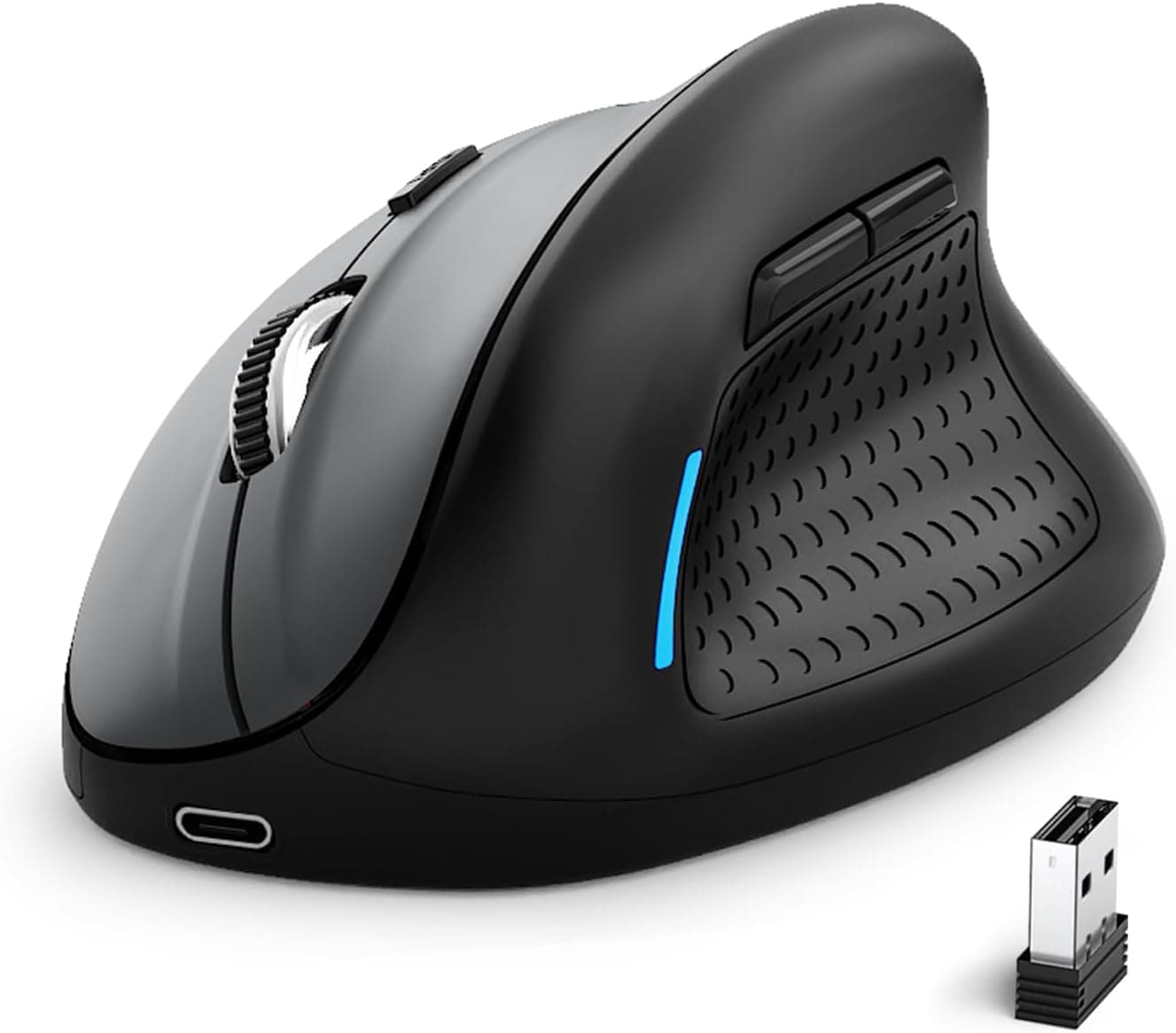
E-YOOSO gray wireless vertical mouse with 6 buttons, up to 4800 DPI and 2.4G plus Bluetooth connectivity.
Price range: See on Amazon
What we liked
- + Up to 4800 DPI allows fast cursor movement on large screens
- + 2.4G and Bluetooth modes switch between laptop and tablet
- + 6 buttons add handy side controls
Trade-offs
- - High DPI settings can feel twitchy for precise work
- - Gray plastic finish feels less premium than Logitech options
Who this vertical mouse suits
This E-YOOSO mouse targets shoppers who want to try a vertical grip for wrist comfort without committing to a premium ergonomic mouse. The handshake-style body keeps the forearm in a more neutral position than a flat mouse, which is the main reason people switch shapes in the first place. Six buttons give room for forward and back browser navigation plus a DPI toggle, so light photo editing or spreadsheet work does not require digging through software menus. It works over 2.4G with the bundled USB receiver or over Bluetooth, so it can follow a person between a desktop tower and a tablet or laptop without swapping dongles. Anyone who spends long hours clicking and scrolling and has started to notice wrist or forearm fatigue is the target buyer here, especially if a first vertical mouse is being tried before spending more on a name-brand model.
DPI range, buttons and connectivity explained
The sensor offers five adjustable DPI steps, commonly listed as 800, 1200, 1600, 2000 and up to 4800, with 1200 as the default out of the box. Lower settings suit detail work like document editing, while the top 4800 DPI step is meant for flicking across multiple large monitors rather than precise pointing. Six buttons cover left and right click, a clickable scroll wheel, two thumb buttons for browser navigation, and a DPI switch. Dual connectivity is the other headline feature: a 2.4G USB nano receiver tucks into the mouse body for one computer, while Bluetooth pairing covers a second device, so switching between a work laptop and a personal tablet does not mean carrying a separate dongle. The body is rechargeable rather than running on disposable batteries, which keeps ongoing costs down compared with alkaline-powered mice.
Living with the mouse day to day
Charging is quick by wireless mouse standards, with a full charge taking roughly one and a half to two hours and then lasting for weeks of typical office use before needing the cable again. The click mechanism is tuned to be noticeably quieter than a standard mouse, which matters in shared offices, libraries or households where a partner is sleeping nearby. The matte finish and contoured grip are built for an all-day hold rather than a quick errand tool, and the shape includes a wrist rest section so the side of the hand has support during long sessions. Because the mouse pairs over both 2.4G and Bluetooth, most people leave one profile on a desktop and the other on a laptop and never touch the settings again after the first setup.
Where it falls short of pricier rivals
Our score of 8.3 out of 10 reflects strong value rather than class-leading polish. The gray plastic shell does not have the soft-touch coating or finished feel of the Logitech MX Vertical, which ranks well ahead of this mouse in the same vertical mice guide, and the scroll wheel and buttons feel a step below that tier too. Pushing the DPI all the way to 4800 can make the cursor feel jumpy for anyone doing fine selection work like photo retouching, so most owners are better off staying in the 800 to 1600 range for daily tasks. Compared with the similarly priced Lekvey vertical mouse, this model adds more buttons and a higher top DPI, but Lekvey counters with USB-C charging that shares a cable with modern phones.
Verdict and who should look elsewhere
For the price, this is a sensible entry point into vertical mice, especially for anyone who wants dual-device pairing and a rechargeable battery without spending Logitech money. People with larger hands or anyone who wants a mouse that feels premium under the palm should budget for the Logitech MX Vertical or Lift instead, since both rank higher in the same comparison. Buyers who only need a basic vertical shape without extra buttons could also consider the Lekvey model for its USB-C charging cable. Overall this is a fair pick for a first vertical mouse or a second unit for a secondary desk, provided expectations for the plastic finish stay realistic.
Frequently asked questions
Does this mouse work with both a laptop and a tablet at the same time saved separately?
Yes, the 2.4G USB receiver and Bluetooth are separate connection modes, so one profile can stay paired to a desktop over the receiver while Bluetooth is used for a second device, though it works with one active connection at a time.
How long does the battery last on a full charge?
The mouse charges fully in about one and a half to two hours and is designed to run for an extended period, commonly cited by the manufacturer as around three months of typical use, before it needs to be plugged in again.
Is the 4800 DPI setting usable for everyday work?
It is best suited to fast cursor travel across large or multiple monitors rather than precise clicking, so most owners find the lower DPI steps more comfortable for typing-heavy or detail-oriented tasks.
Is this mouse quiet enough for a shared room?
The clicks are tuned to be noticeably quieter than a standard mouse, which the manufacturer markets as suited to libraries and shared spaces, though no mouse click is completely silent.
Prices change often, so check the current price and availability on Amazon.
Check price on AmazonDesk Upgrade Nest may earn a commission from the link above.