Mini Wireless Keyboard with Touchpad, 2.4G+BT Dual Mode 7-Color Backlit Remote Review (2026)
Updated September 14, 2026 · Research-based review
Our verdict
This mini wireless keyboard works best as a couch or HTPC remote for a media PC, smart TV box or Raspberry Pi setup rather than a daily driver for a desk. The built-in touchpad and dual wireless modes are genuinely convenient, but the tiny keys are not suited to long typing sessions.
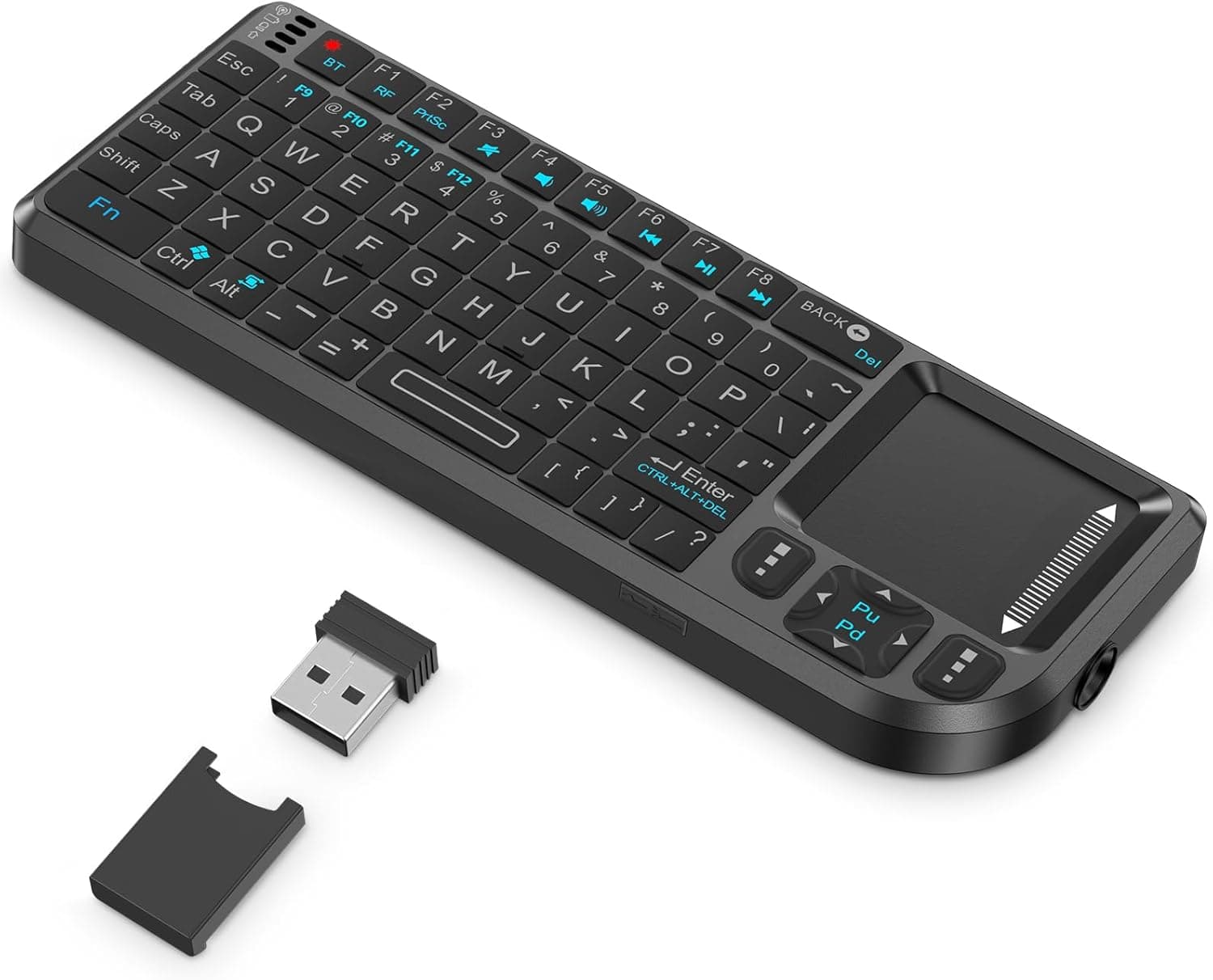
A mini wireless keyboard with touchpad, 2.4G+BT dual mode and 7-Color backlight, handy as a smart TV or HTPC remote.
Price range: See on Amazon
What we liked
- + Built-in touchpad removes the need for a separate mouse
- + 2.4G+BT dual mode connects to PCs, TVs and tablets
- + 7-Color backlight helps typing in dim living rooms
Trade-offs
- - Tiny keys are awkward for long typing sessions
- - Small touchpad is less precise than a real mouse
Where this keyboard actually shines
This is a mini wireless keyboard designed for lean-back computing rather than sitting at a desk, the kind of device that lives on a coffee table next to a couch and controls a home theater PC, a smart TV box or a media server. The built-in touchpad means a separate mouse is not needed to navigate a interface from across the room, which is the main reason people buy keyboards in this category instead of a regular wireless board. Dual 2.4G and Bluetooth connectivity lets it pair with a wide range of gear, from an older PC that only has a USB receiver port to a modern tablet or streaming box that expects Bluetooth. Anyone setting up a home theater, a retro gaming PC, or a kiosk display will find this a natural fit, more so than someone shopping for a primary office keyboard.
What the hardware includes
The keyboard pairs through 2.4G with an included USB dongle or through Bluetooth directly, covering both older receiver-based setups and newer Bluetooth-only devices like some tablets and streaming sticks. A 7-color backlight illuminates the keys, useful for finding buttons in a dim living room during movie night. It includes a rechargeable 600mAh battery charged over a Type-C port, avoiding the need to buy replacement AA batteries for a remote-style device. A laser pointer is built into the unit as well, a leftover feature from presentation remotes that doubles as a quick way to highlight something on a shared screen. The touchpad itself flips out at roughly a 90 degree angle and includes left and right mouse buttons, letting it switch between typing mode and pointer mode.
Living with the small size
Because this keyboard is built around portability and couch use rather than desk ergonomics, the keys are noticeably smaller and more closely packed than a standard keyboard, which takes some adjustment even for touch typists. It is best treated as an occasional-use tool: typing a search query, entering a wifi password, or browsing a media library rather than writing long emails or documents. The auto-sleep and wake functions help battery life by powering down the keyboard when idle and waking it on the next key press, so it does not need to be manually switched off after every session. Charging over Type-C means it can share a cable with most modern phones, which is a small but genuinely convenient detail for anyone who already has that cable around the house.
Where it loses ground to rivals
Against other wireless keyboards in this guide, the tiny key layout and smaller touchpad are the clear weak points, especially compared with something like the Microsoft Designer Compact Keyboard, which is built for actual desk typing with full-size keys and a more precise, larger surface for any paired mouse. Where this keyboard pulls ahead of some cheaper mini keyboards nearby in the ranking is the combination of dual wireless modes, a laser pointer and a genuinely usable flip-out touchpad, features that not every rival in the same price bracket includes together. It is best understood as a specialist tool for TV and media setups rather than a general laptop or desktop keyboard, and shoppers should judge it against that use case rather than against full-size desk keyboards.
Verdict and who should look elsewhere
Buy this keyboard if the goal is controlling a smart TV box, HTPC, Raspberry Pi or similar device from a couch, where compact size and an integrated touchpad matter more than full-size comfortable typing. The dual 2.4G and Bluetooth modes make it flexible enough to pair with almost anything in a living room setup. Skip it if the plan is regular desk work, writing, or coding, since the small keys will slow down anyone typing for more than a few minutes at a time; a full-size wireless keyboard like the Microsoft Designer Compact ranked above it in this guide is the better everyday choice for that kind of use.
Frequently asked questions
How does this keyboard connect to devices?
It supports dual mode wireless, pairing over 2.4G with the included USB dongle or over Bluetooth directly, so it works with older PCs and newer Bluetooth-only devices alike.
Is the touchpad usable as a full mouse replacement?
The touchpad flips out to about 90 degrees and includes left and right click buttons, functional for basic navigation but smaller and less precise than a dedicated mouse.
How is the keyboard charged?
It uses a built-in rechargeable 600mAh battery charged over a Type-C port, so it can share a cable with most modern phones instead of needing disposable batteries.
Is this keyboard good for daily desk typing?
It is not the best fit for long typing sessions since the keys are small and closely spaced. It is better suited to occasional input for a TV box, media PC or similar device.
Prices change often, so check the current price and availability on Amazon.
Check price on AmazonDesk Upgrade Nest may earn a commission from the link above.