Anker 2.4G Wireless Ergonomic Vertical Mouse, Right Hand, USB Receiver, 5 Buttons Review (2026)
Updated September 14, 2026 · Research-based review
Our verdict
The Anker A7852 is a budget-friendly way to try a vertical grip without spending much, offering 5 buttons and three DPI settings from a well-known accessory brand. It is right hand only and runs on disposable AAA batteries, so left-handed users and rechargeable-battery fans should look elsewhere.
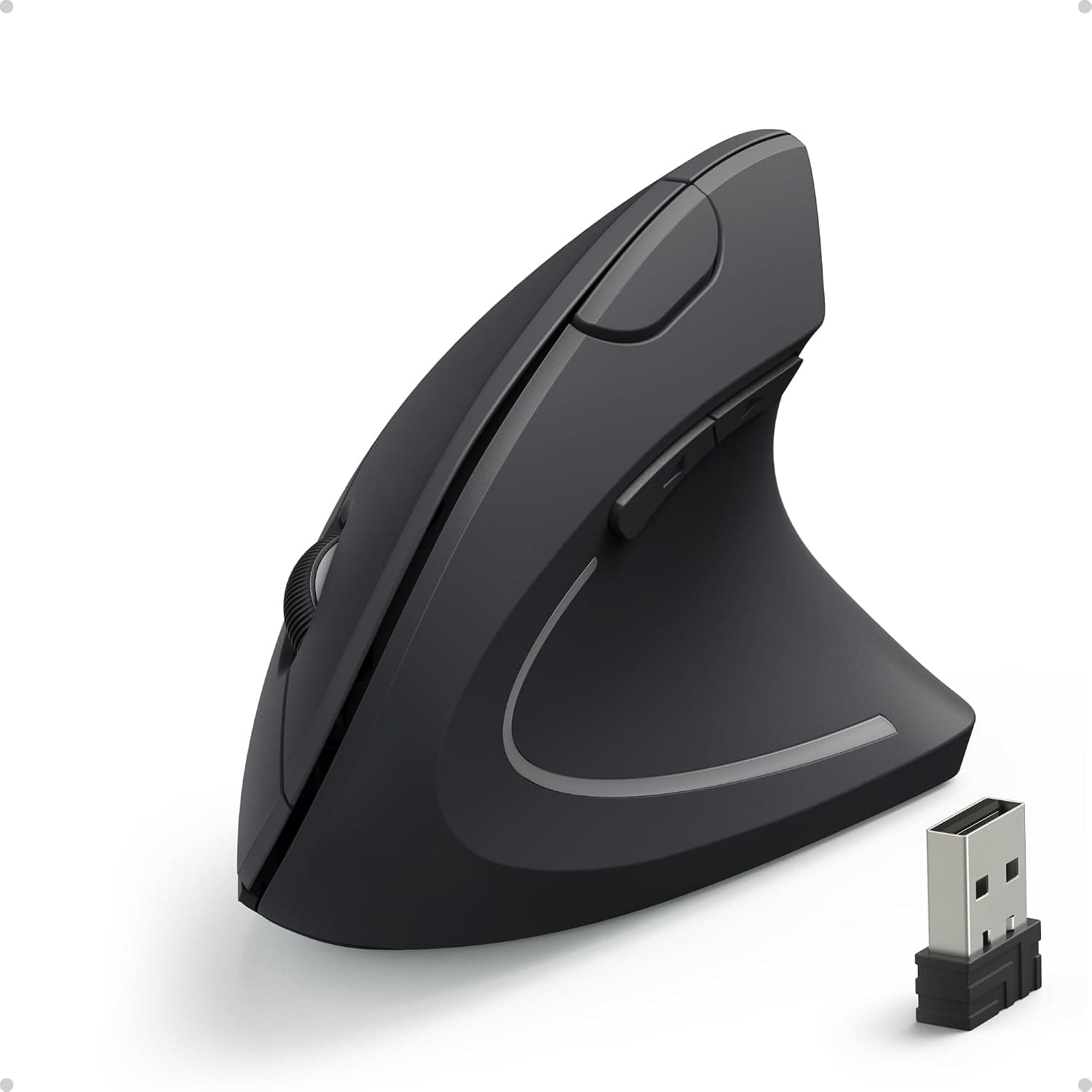
Anker 2.4G wireless ergonomic vertical mouse for the right hand with a USB receiver and 5 buttons.
Price range: See on Amazon
What we liked
- + Budget vertical mouse is a low-risk way to try the grip
- + 5 buttons include forward and back for web browsing
- + 2.4G USB receiver connects instantly without pairing
Trade-offs
- - Right hand only, so left-handed users need another model
- - Uses disposable batteries rather than a rechargeable cell
Who this mouse is for
This mouse is aimed squarely at right-handed users who want to test whether a vertical grip eases wrist strain without committing to a premium price. Anker positions it as an entry point into ergonomic mice rather than a top-tier daily driver, with a simple 2.4G USB receiver that pairs instantly without Bluetooth setup or an app. The design uses ergonomically shaped thumb rests and grips intended to match the natural contour of a palm, and it supports Windows, Mac OS X and Linux, so it works across a mixed-device household or office. Left-handed users are not served at all, since Anker only sells this shape for the right hand, and shoppers wanting a rechargeable battery will need a different model.
Specs and design explained
The mouse offers three switchable DPI settings of 800, 1200 and 1600, giving a basic range from precise, slower cursor movement up to faster tracking for larger screens, though it lacks the higher DPI ceilings some rivals offer. It has 5 buttons total, including forward and back buttons useful for browser navigation, and measures about 12 by 6.28 by 7.48 centimeters while weighing roughly 3.4 ounces. Power comes from 2 AAA batteries that are not included in the box, and Anker states the mouse enters a full power-saving cutoff after 8 minutes of inactivity, waking again with a click of the left or right button, which helps battery life at the cost of a brief wake-up delay.
Living with it day to day
Setup is plug and play, since the 2.4G USB receiver stores inside the base of the mouse when not traveling with it, and no software installation is required for basic use. Day to day, the vertical shape keeps the forearm in a more neutral, handshake-like position compared with a flat mouse, which is the main reason buyers choose this category at all. Because the batteries are disposable AAA cells rather than a rechargeable pack, ongoing costs and occasional battery swaps are part of owning this mouse, and there is no charging cable to manage or lose, which some users will actually prefer for simplicity.
Trade-offs against other vertical mice in this guide
Against the Logitech MX Vertical and Logitech Lift, both of which score well above this Anker model in this guide, the trade-off is clear: those Logitech mice add rechargeable batteries, Bluetooth multi-device pairing and higher build quality for a notably higher price. Compared with the similarly positioned E-YOOSO and Lekvey vertical mice, this Anker sits at the more basic end of the group, without the rechargeable USB-C charging those competitors include. The honest case for this mouse over its rivals is price and brand recognition, not features, since Anker undercuts most of the named competitors while still offering a real 5-button ergonomic shape.
Verdict and who should pick something else
Choose this mouse if you are curious about vertical ergonomics and want a low-risk, right-hand-only way to try the grip from a recognizable brand without paying for rechargeable batteries or Bluetooth. Our score of 7.8/10 reflects strong value pulled down by basic features and battery type. Left-handed users need to look elsewhere entirely, and anyone who wants a rechargeable, higher-DPI or more premium-feeling mouse should step up to the Logitech Lift or MX Vertical, both ranked higher in this guide, for a more complete ergonomic package. For a budget office setup where price matters more than extras, though, this remains an easy mouse to recommend and set up in minutes.
Frequently asked questions
Is this Anker mouse available for left-handed users?
No, this model is designed for the right hand only. Anker does not sell a left-handed version of this particular vertical mouse.
Does this mouse use rechargeable batteries?
No, it runs on 2 AAA batteries that are not included in the box, rather than a built-in rechargeable cell.
How many DPI settings does it offer?
It has three switchable DPI settings of 800, 1200 and 1600, which covers basic precision and speed needs but not the wider ranges some pricier mice offer.
Does it need software or an app to work?
No, it is plug and play through the included 2.4G USB receiver and does not require any driver or app installation for standard use.
Prices change often, so check the current price and availability on Amazon.
Check price on AmazonDesk Upgrade Nest may earn a commission from the link above.