Best Tablet Stands for Desks (2026)
Updated How we research
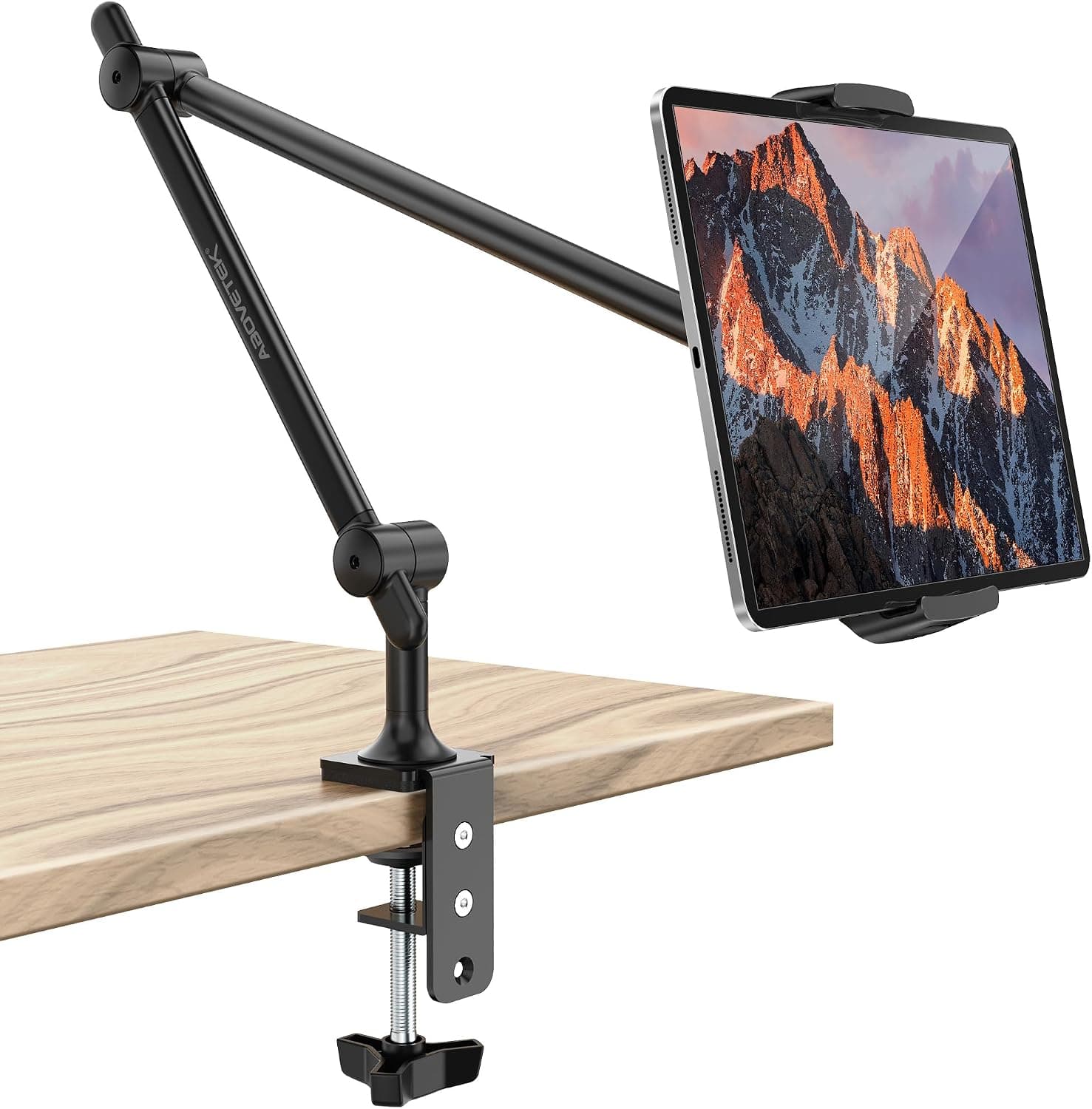
AboveTEK Tablet Stand Holder for Desk & Bed, Aluminum iPad Holder Arm 360 Rotating Clamp
AboveTEK aluminum iPad holder arm with a 360 rotating clamp, a tablet stand for desk and bed use.
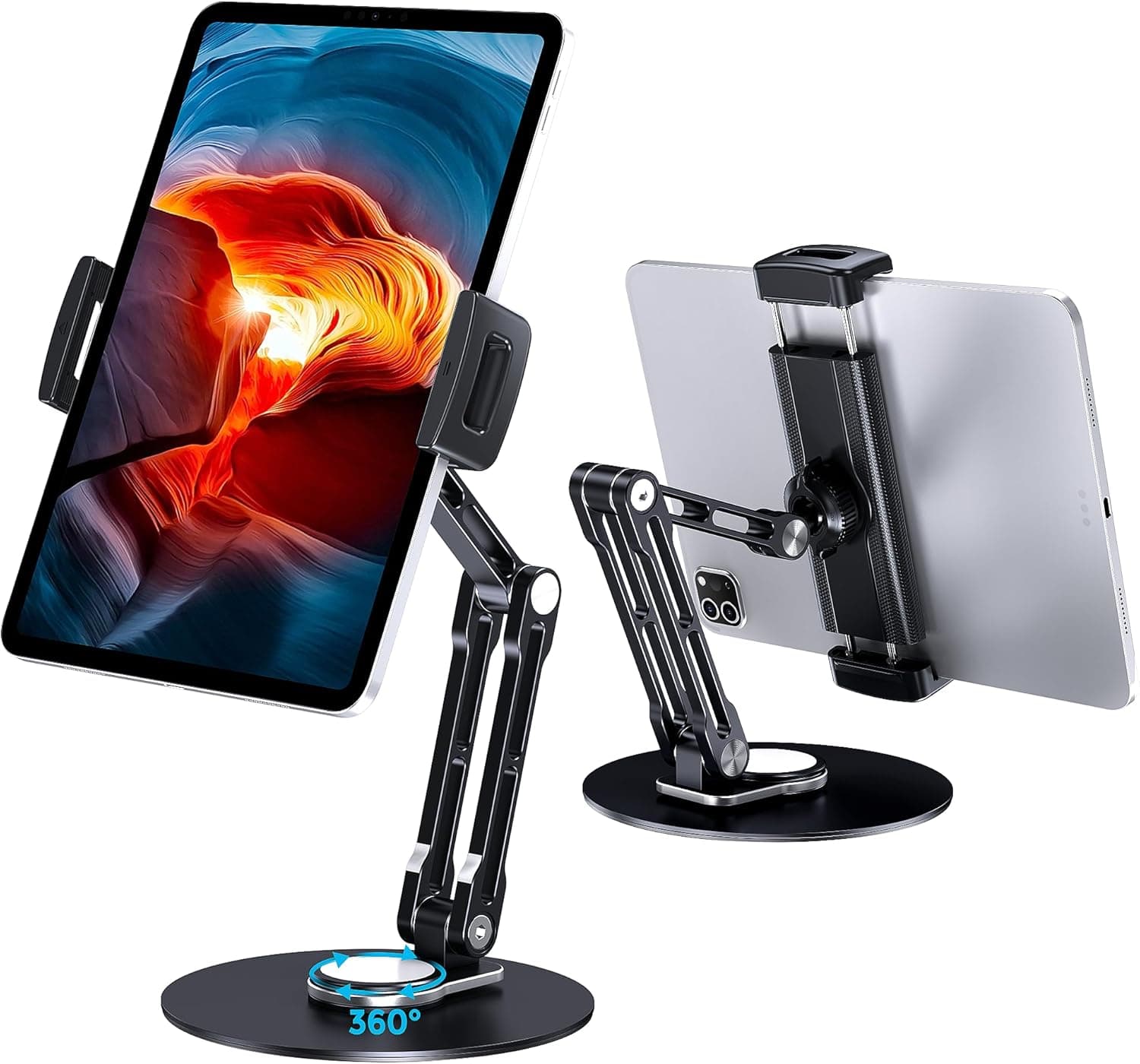
Lucrave Tablet Stand Holder for iPad, Adjustable 360 Rotating Aluminum Swivel Base, Black
Lucrave black adjustable iPad stand with a 360 rotating aluminum swivel base, for desk use and video calls.
A tablet stand props your device at a comfortable viewing and typing angle, turning it into a second screen, a video hub, or a sketch surface. Decide first how you use the tablet. A simple folding stand is great for propping it up for video calls, while a weighted or clamp-mounted arm lets you position a heavier tablet freely for drawing or reference work. Check the size range so your model fits with its case on, and look for adjustable tilt if you switch between reading and typing. Stability is everything, especially for touchscreens, since a wobbly base makes every tap feel unsteady. Aluminum stands tend to feel more solid than lightweight plastic, and a cutout for the charging cable keeps you powered while docked. This suits people who use a tablet as a secondary display, artists who need adjustable angles, and anyone who takes a lot of hands-free video calls. If you mostly type on the tablet, pair the stand with a separate keyboard for a more comfortable posture.
The short version
We compared 7 picks. Our scores range from 7.0 to 8.0 out of 10.
- Best overall:AboveTEK Tablet Stand Holder for Desk & Bed, Aluminum iPad Holder Arm 360 Rotating Clamp. Highest overall score in this guide at 8.0/10.
- Also great value:Lamicall S1 Tablet Stand, Adjustable Tablet Holder Desktop Dock for 4-13 inch Tablets. Value score of 9/10, overall 8.0/10.
- Solid build:Lucrave Tablet Stand Holder for iPad, Adjustable 360 Rotating Aluminum Swivel Base, Black. Build and materials score of 8/10, overall 8.0/10.
- Feature-rich:elitehood Aluminum iPad Stand, Adjustable Desktop Tablet Stand Dock, Gray. Features score of 7/10, overall 7.8/10.
Scores are our editorial assessment, not customer ratings. How we score
- 1.AboveTEK Tablet Stand Holder for Desk & Bed, Aluminum iPad Holder Arm 360 Rotating Clamp8.0/10See on AmazonCheck price
- 2.Lucrave Tablet Stand Holder for iPad, Adjustable 360 Rotating Aluminum Swivel Base, Black8.0/10See on AmazonCheck price
- 3.Lamicall S1 Tablet Stand, Adjustable Tablet Holder Desktop Dock for 4-13 inch Tablets8.0/10See on AmazonCheck price
- 4.elitehood Aluminum iPad Stand, Adjustable Desktop Tablet Stand Dock, Gray7.8/10See on AmazonCheck price
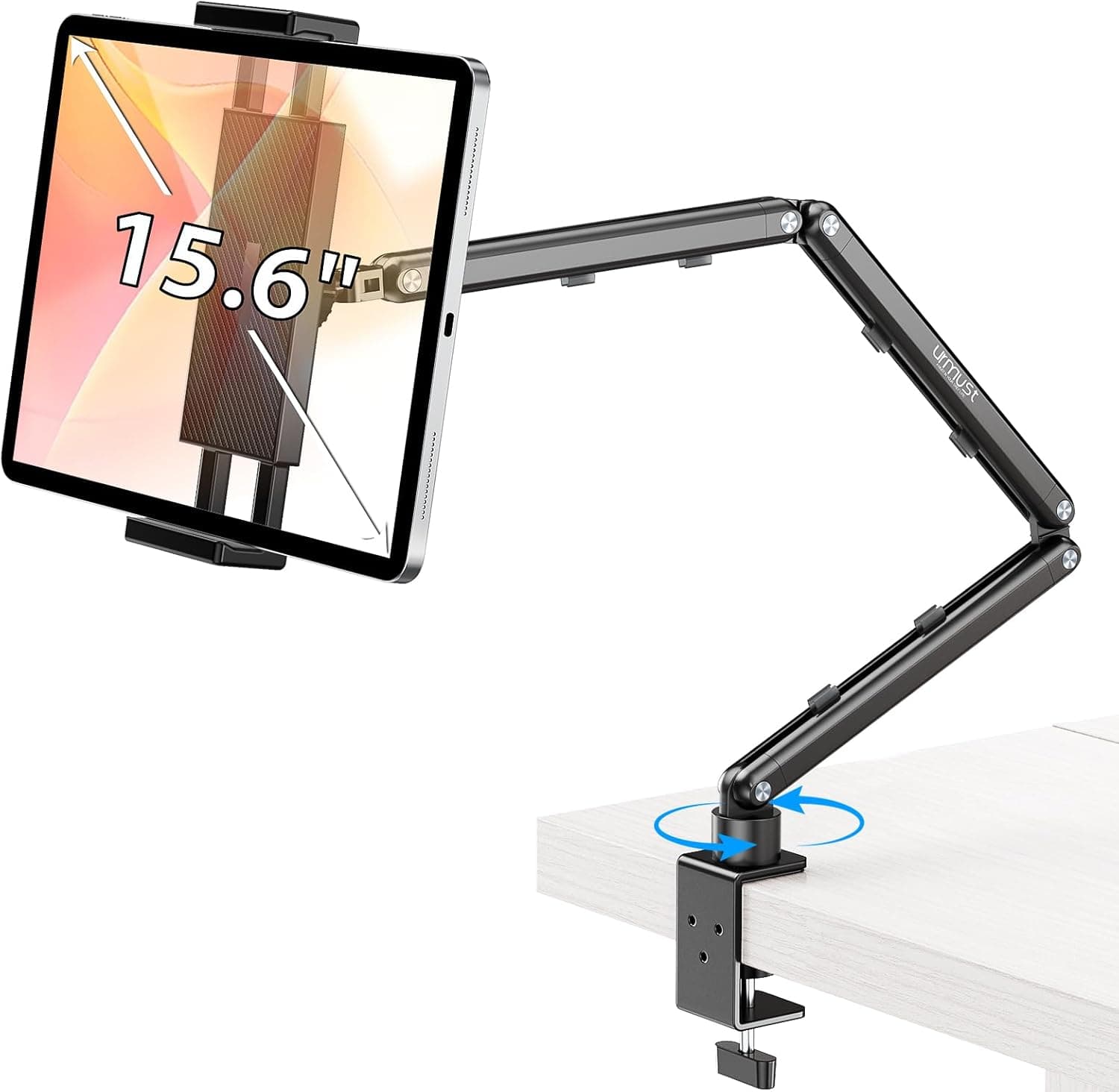
- 5.Urmust Tablet Stand for Desk, Adjustable iPad Holder, 360 Rotation Aluminum Arm Mount7.6/10See on AmazonCheck price
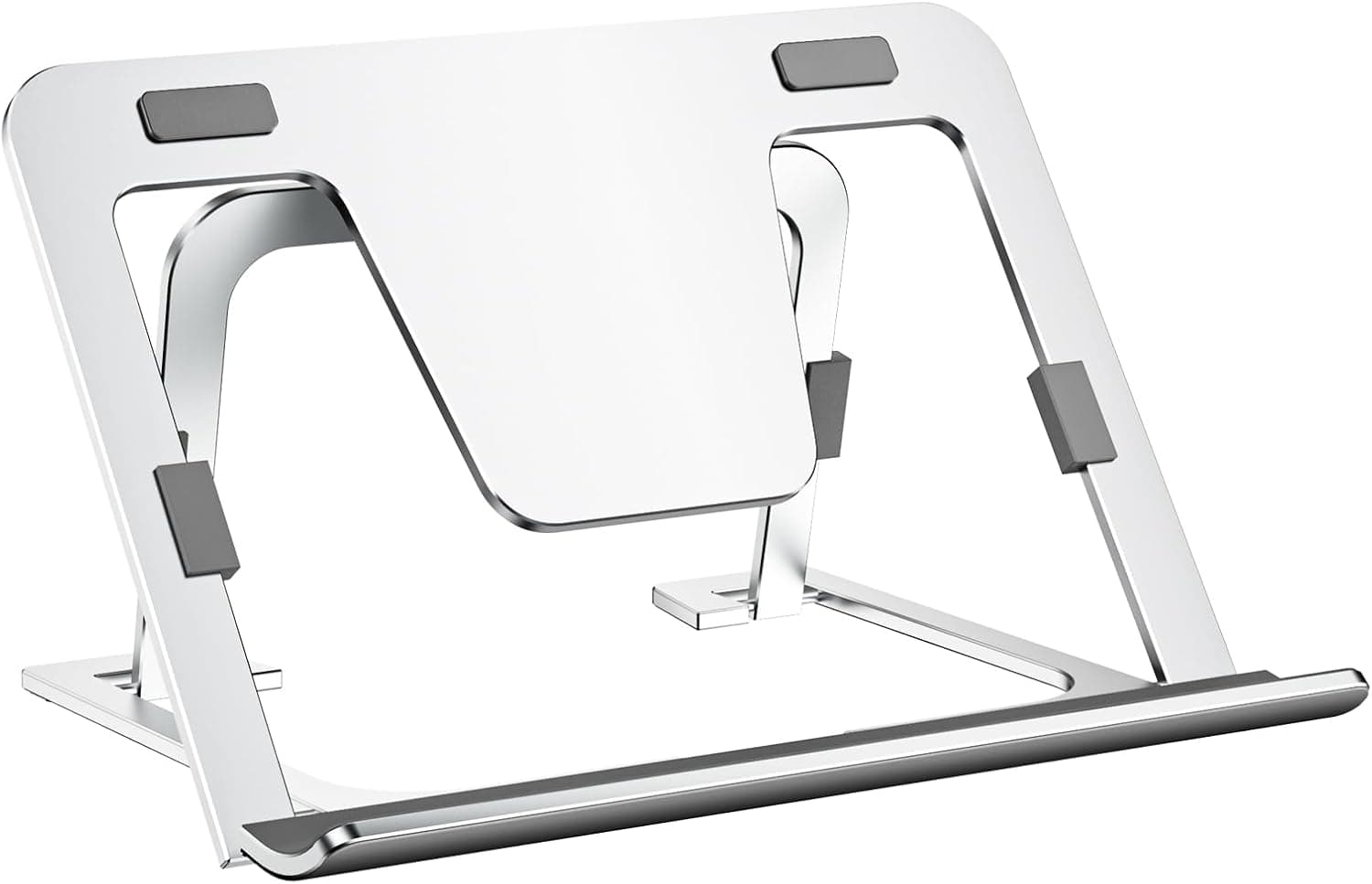
- 6.Tablet Stand Adjustable & Foldable, Slim Portable Aluminum Holder for Desk, Silver7.2/10See on AmazonCheck price
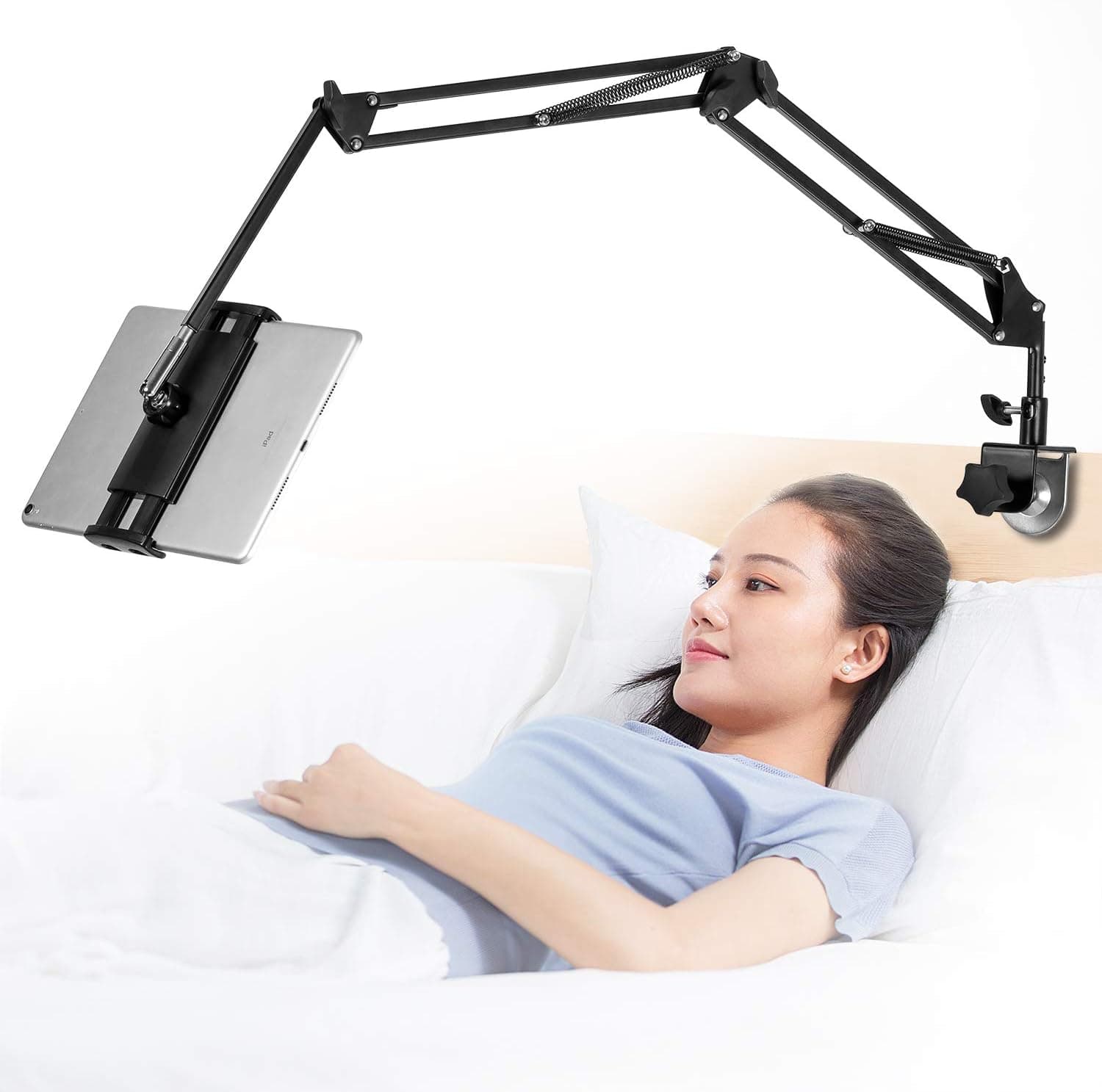
- 7.Tablet Stand Adjustable Foldable Arm, Aluminum Universal Flexible Holder 360 Rotation7.0/10See on AmazonCheck price
 #1
#1AboveTEK aluminum iPad holder arm with a 360 rotating clamp, a tablet stand for desk and bed use.
Fit for the job 8/10 · Features and specs 8/10 · Build and materials 8/10 · Value 8/10
- + Clamp arm holds a tablet above the bed or desk for hands-free viewing
- + 360 rotating mount switches easily between portrait and landscape
- + Aluminum arm is stronger than plastic gooseneck holders
- - Clamp needs a thick edge like a desk, nightstand or headboard
- - Long arm can bounce slightly when tapping the screen
 #2
#2Lucrave black adjustable iPad stand with a 360 rotating aluminum swivel base, for desk use and video calls.
Fit for the job 8/10 · Features and specs 8/10 · Build and materials 8/10 · Value 8/10
- + Swivel base turns the tablet to share the screen across a desk
- + Aluminum build with a weighted base feels stable while tapping
- + Black finish suits dark desk setups and gaming stations
- - Desktop base takes up space compared with a clamp arm
- - Lucrave is a newer brand with limited compatibility details
 #3
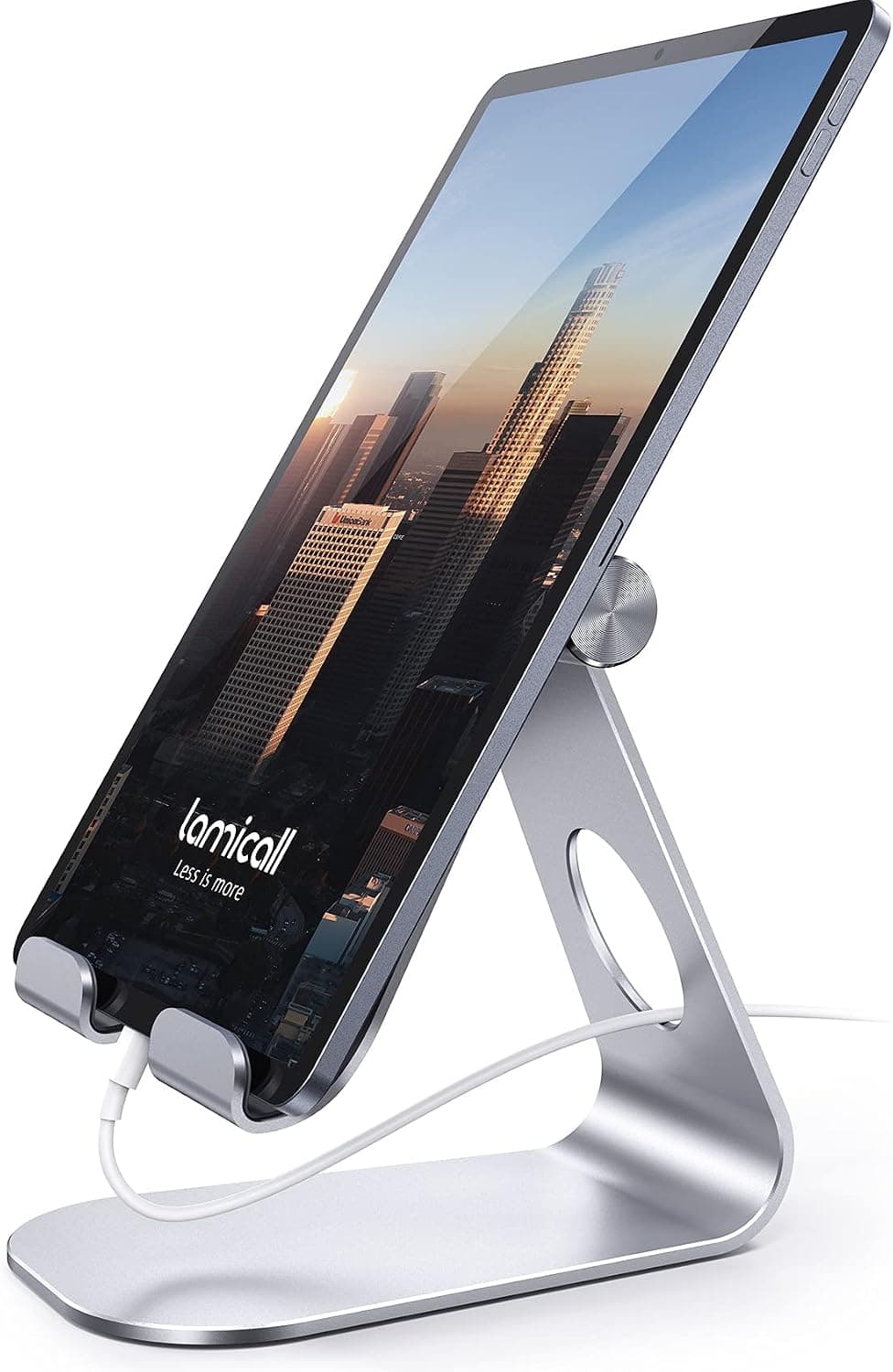
#3Lamicall S1 adjustable tablet holder and desktop dock for 4-13 inch tablets, a compact and popular stand.
Fit for the job 8/10 · Features and specs 8/10 · Build and materials 7/10 · Value 9/10
- + 4-13 inch support covers phones, iPads and small tablets
- + Compact S1 dock takes little desk space
- + Lamicall is a popular brand for phone and tablet stands
- - Low-profile stand does not raise the screen to eye level
- - Not intended for very large tablets over 13 inch
 #4
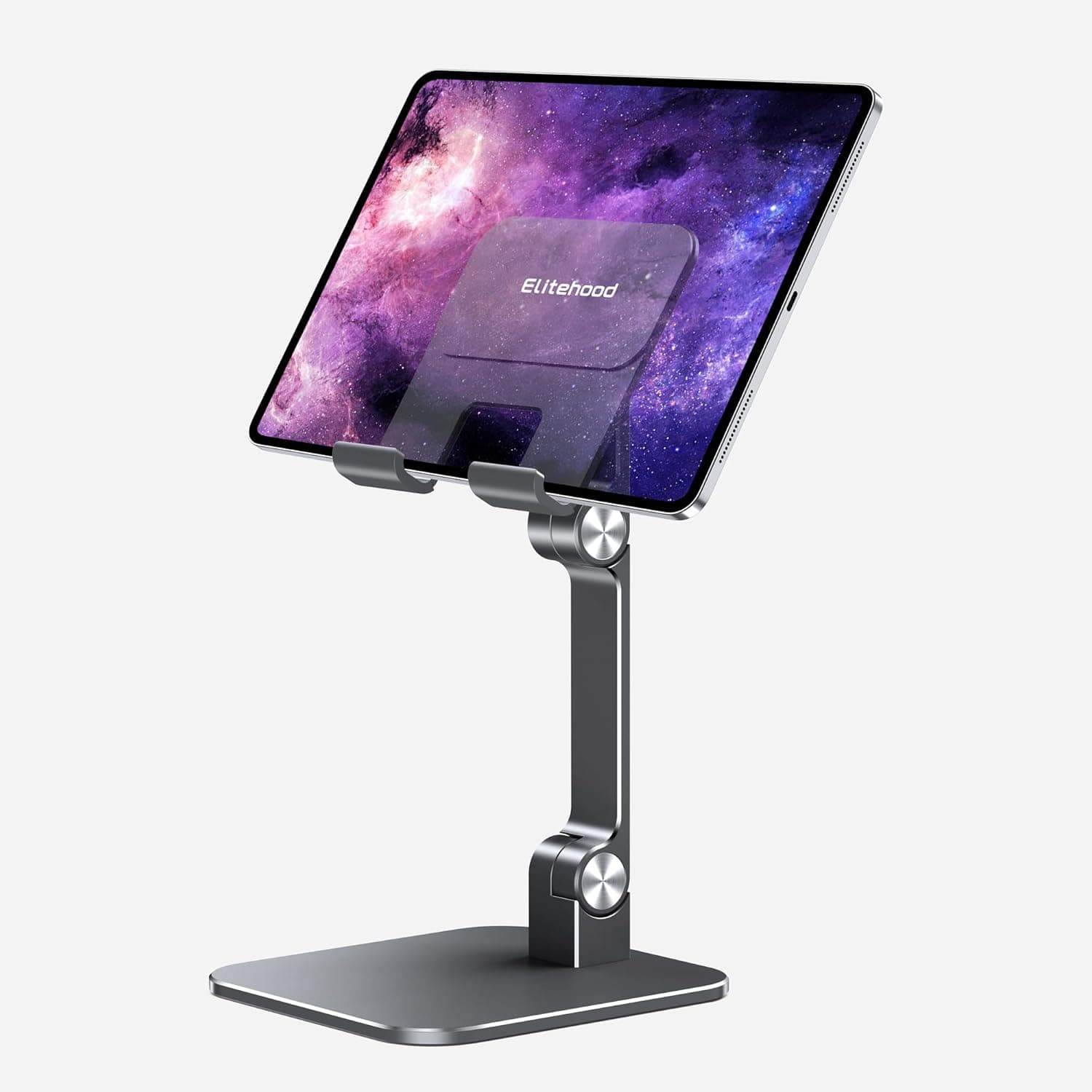
#4elitehood gray aluminum adjustable iPad stand and desktop tablet dock, a sleek stand for Apple tablets.
Fit for the job 8/10 · Features and specs 7/10 · Build and materials 8/10 · Value 8/10
- + Gray aluminum finish matches space gray iPads and MacBooks
- + Adjustable angle suits typing, drawing and watching videos
- + Solid desktop dock stays steady when tapping the screen
- - Check your tablet's size against the stand before ordering
- - Dock only, with no clamp or arm for bed or couch use
 #5
#5Urmust adjustable iPad holder with a 360 rotation aluminum arm mount, a tablet stand for desks.
Fit for the job 8/10 · Features and specs 7/10 · Build and materials 7/10 · Value 8/10
- + Aluminum arm adjusts height and angle for comfortable viewing
- + 360 rotation handles portrait reading and landscape video
- + Arm mount keeps the tablet off the desk surface
- - Arm designs are less stable than solid desktop docks for drawing
- - Check your tablet's size and weight against the mount before ordering
 #6
#6A slim silver portable aluminum tablet stand that is adjustable and foldable, made to travel between desk and bag.
Fit for the job 7/10 · Features and specs 7/10 · Build and materials 7/10 · Value 8/10
- + Slim foldable profile slides into a laptop sleeve or backpack pocket
- + Silver aluminum finish matches silver iPads and laptops
- + Adjustable angle props a tablet up for video calls and recipes
- - Low, compact stand does not lift the tablet to eye level
- - Lightweight frame can tip if you press hard when drawing
 #7
#7An adjustable foldable aluminum universal tablet stand with a flexible arm and 360 rotation.
Fit for the job 7/10 · Features and specs 7/10 · Build and materials 6/10 · Value 8/10
- + Foldable arm collapses for storage or travel
- + 360 rotation lets the tablet turn for reading or video calls
- + Universal holder fits many tablet and phone sizes
- - Generic listing does not state supported tablet sizes
- - Flexible joints can sag with heavier tablets over time
Before you buy: trade-offs we flagged
No pick is perfect. These are the main compromises we noted for the top products in this guide, so you can check they will not matter for you.
- Clamp needs a thick edge like a desk, nightstand or headboard (AboveTEK Tablet Stand Holder for Desk & Bed,...)
- Desktop base takes up space compared with a clamp arm (Lucrave Tablet Stand Holder for iPad,...)
- Low-profile stand does not raise the screen to eye level (Lamicall S1 Tablet Stand, Adjustable Tablet...)
- Check your tablet's size against the stand before ordering (elitehood Aluminum iPad Stand, Adjustable...)
- Arm designs are less stable than solid desktop docks for drawing (Urmust Tablet Stand for Desk, Adjustable iPad...)
- Low, compact stand does not lift the tablet to eye level (Tablet Stand Adjustable & Foldable, Slim...)
Frequently asked questions
›What is the best choice among tablet stands for desks (2026)?
AboveTEK Tablet Stand Holder for Desk & Bed, Aluminum iPad Holder Arm 360 Rotating Clamp is our top overall pick. AboveTEK aluminum iPad holder arm with a 360 rotating clamp, a tablet stand for desk and bed use. It earns our score of 8.0/10, based on fit for the job, features, build and value.
›What is a good budget option?
Lucrave Tablet Stand Holder for iPad, Adjustable 360 Rotating Aluminum Swivel Base, Black is the strongest low-cost pick in this guide. Lucrave black adjustable iPad stand with a 360 rotating aluminum swivel base, for desk use and video calls.
›How much should I expect to spend?
Picks in this guide span See on Amazon price bands (roughly: $ = under $30, $$ = $30 to $100, $$$ = over $100). We never display exact prices because they change constantly, so the buttons above always show Amazon's current price.
›How were these products chosen?
We shortlist products that fit the job this guide solves and compare their published specifications, such as size, capacity, materials and what is included. Each pick gets an editorial score out of 10 for fit, features, build and value, and we write the pros and cons from those details. Our score is not an Amazon customer rating. We earn a commission if you buy through our links, which never affects the ranking.
Desk Upgrade Nest independently selects every product; we may earn a commission from links above.
Popular right now
- Best Ergonomic Split Keyboards (2026)Buying guide
- Best Under-Monitor Storage Organizers (2026)Buying guide
- Best Monitor Privacy Filters (2026)Buying guide
- Best Corner Desks for Home Offices (2026)Buying guide
- Best UPS Battery Backups for Home Offices (2026)Buying guide
- Docking station explainedGlossary
Based on the last 28 days of search and visitor data.