Mount-It! Dual Monitor Mount, Gas Spring, up to 32 inch (Silver) Review (2026)
Updated September 21, 2026 · Research-based review
Our verdict
This Mount-It! dual monitor mount suits a two-screen desk that wants gas spring arms in a silver finish for bright or Mac-style setups, supporting screens up to 32 inches each. Smooth adjustment and full motion control are the strengths, and the trade-off is tension tuning per arm plus a finish that shows scratches more easily.
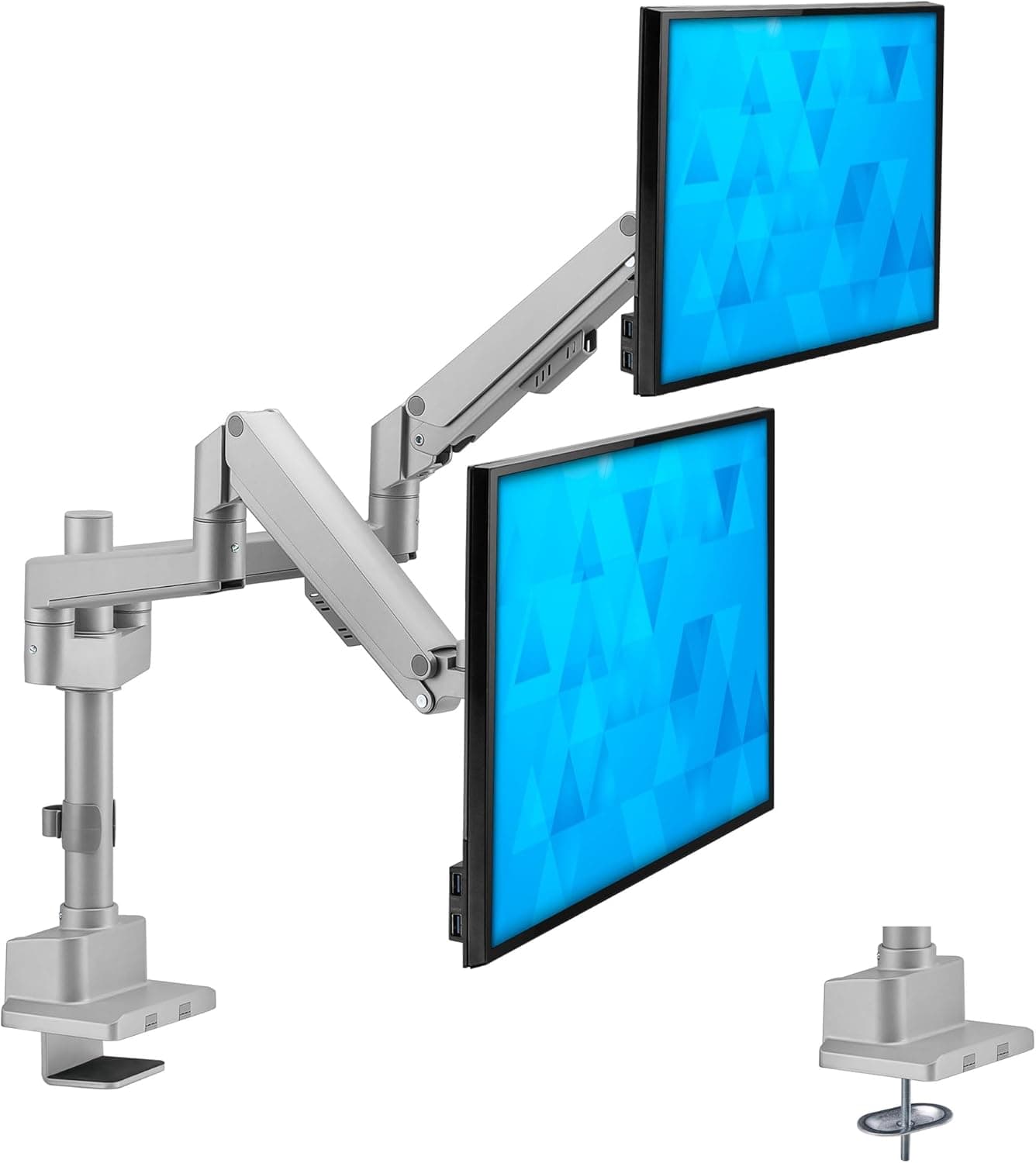
Mount-It! silver gas spring dual monitor mount for screens up to 32 inch, a smooth-adjusting dual arm.
Price range: See on Amazon
What we liked
- + Gas spring arms move screens up and down with light pressure
- + Silver finish suits bright desks, Mac setups and white offices
- + Up to 32 inch support fits two full-size monitors
Trade-offs
- - Gas springs need tension tuning for each monitor's weight
- - Silver finish shows scratches from tools during assembly
Who this mount is really for
This is built for a desk running two monitors that wants both screens on independently adjustable arms rather than a single fixed dual stand, and specifically for someone who prefers a silver finish over the more common black option, whether to match a bright desk setup, a Mac-centric workspace or white office furniture. It suits users who want each screen to tilt, swivel and rotate on its own so one monitor can sit in portrait while the other stays landscape, rather than both screens being locked to the same orientation. Because it uses gas spring arms rather than fixed-height posts, it also suits someone who repositions their screens through the day, such as leaning one monitor toward a second person during a call.
What the spec sheet actually means
Each arm on this mount supports monitors up to 32 inches and up to 19.8 lbs, using standard VESA 75x75 or 100x100 mounting patterns, so it is worth confirming a monitor's VESA compatibility and weight before buying. The mount allows roughly 13 inches of height adjustment through the gas spring arms, and each arm can tilt up to 45 degrees up or down, swivel a full 360 degrees, and rotate 180 degrees to switch between landscape and portrait orientation. Attachment is available through either a clamp or a grommet base, both included, and cable management sleeves are built into the arms to keep monitor cables from hanging loose across the desk.
Gas spring tuning and dual arm setup
As with other gas spring monitor arms, each arm's counterbalance needs to be tuned to the weight of the monitor mounted on it, and because this is a dual arm mount, that tuning has to be done twice, once per screen, which takes a little longer than setting up a single monitor arm. Mismatched monitors, such as pairing a light older screen with a larger heavier one, mean each arm's tension will likely need to be set differently rather than sharing one setting. Once tuned, the arms should let each screen move up, down, forward and back with light pressure, and the independent movement is the main advantage over a rigid dual stand that forces both screens to stay at the same fixed height and spacing.
Finish, durability and where it ranks among rivals
The silver finish gives this mount a different look from the more common black gas spring arms on the market, but a lighter finish also tends to show scratches and marks from tools or hardware more visibly during assembly and adjustment than a black or matte finish would. In this guide's dual monitor arm ranking, this model sits at the top, just ahead of the same manufacturer's MI-1772 model and other dual arm mounts from competing brands, reflecting the combination of full motion control, a 32 inch per-arm capacity and the added color option that some buyers specifically want for their desk setup.
Verdict and who should look elsewhere
Buy this Mount-It! dual monitor mount if two screens up to 32 inches each need independent gas spring arms with full tilt, swivel and rotate control, and if the silver finish suits the desk better than the standard black option. Skip it if either monitor is close to or above the 19.8 lb per-arm limit, since heavier screens may sink even with tension maximized. It is also worth handling the silver finish carefully during setup, since scuffs are more visible on light metal than on black. For a two-monitor desk that wants real independent positioning rather than a fixed dual stand, this is a strong, well-featured pick.
Frequently asked questions
How many monitors does this mount support?
It supports two monitors, one per arm, each up to 32 inches and up to 19.8 lbs.
Does each arm adjust independently?
Yes, each arm tilts up to 45 degrees, swivels 360 degrees and rotates 180 degrees on its own, so the two screens do not have to match orientation.
How is it attached to a desk?
It includes both a clamp and a grommet base, so it can mount to a desk edge or through a hole in the desktop.
Does the gas spring need adjusting after installation?
Yes, each arm's tension typically needs to be tuned to match its monitor's weight, and this has to be done separately for each of the two arms.
Prices change often, so check the current price and availability on Amazon.
Check price on AmazonDesk Upgrade Nest may earn a commission from the link above.