Mount-It! Monitor and Laptop Desk Mount, Dual Arm with Laptop Tray Review (2026)
Updated September 21, 2026 · Research-based review
Our verdict
This dual arm mount suits anyone pairing one external monitor with a laptop on the same desk clamp, fitting 13 to 27 inch screens alongside a laptop up to 17 inches. Each arm is rated for a specific weight limit, so heavier ultrawide monitors are a poor match, but typical single-monitor and laptop setups fit well.
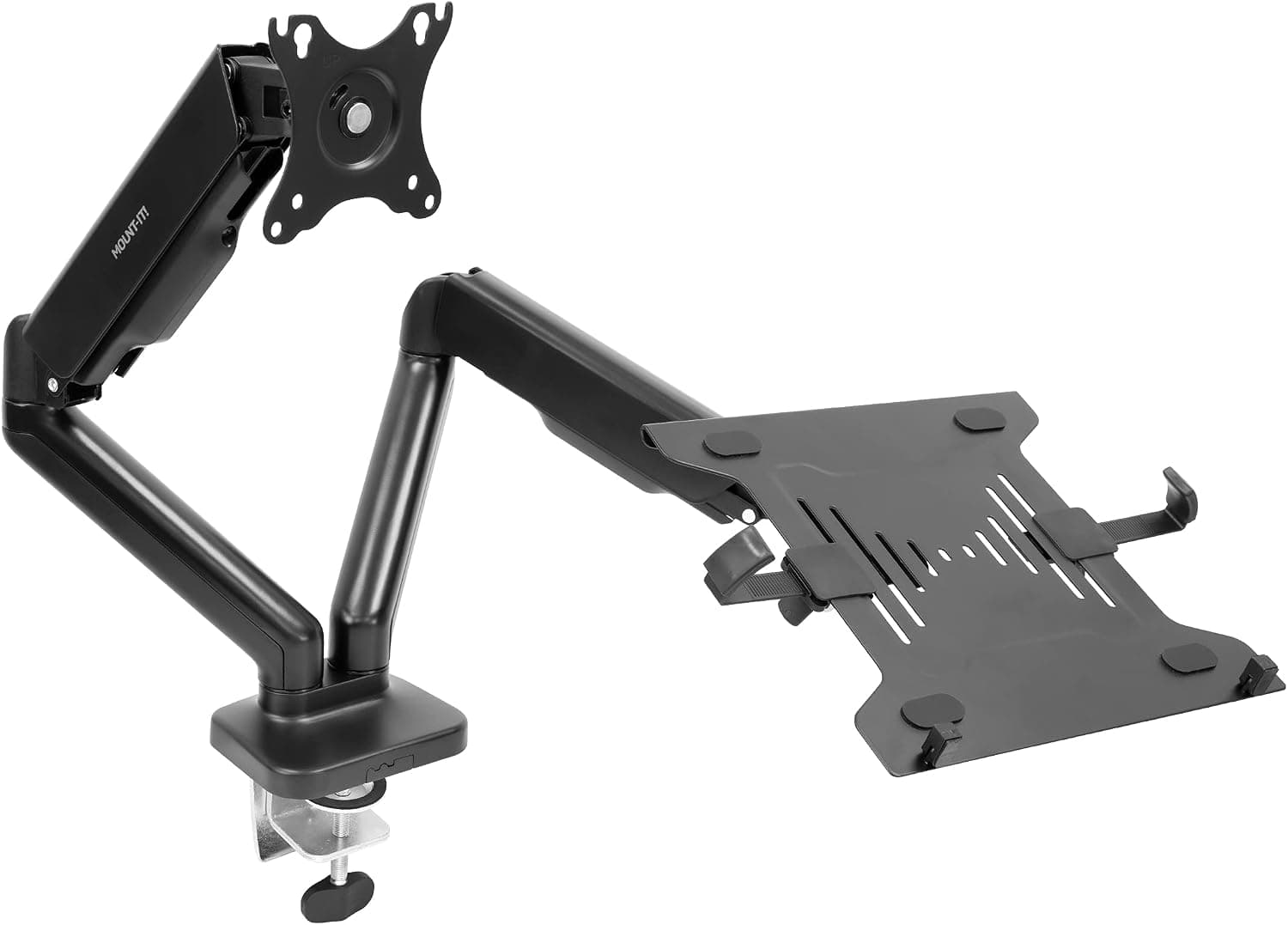
Mount-It! dual arm monitor and laptop desk mount with a laptop tray, pairing a screen with a laptop on one base.
Price range: See on Amazon
What we liked
- + One arm holds a monitor while the other carries the laptop tray
- + Complete kit avoids buying a separate arm and tray
- + Raises both screens for a tidy, ergonomic dual-screen setup
Trade-offs
- - Dual arm kit takes more desk edge space for the clamp
- - Laptop tray side must be balanced against the monitor weight
One mount for two different devices
This Mount-It! kit solves a specific setup problem: pairing an external monitor with a laptop so both sit at a similar eye level instead of one being propped on books while the other floats on a separate arm. One arm uses a standard VESA plate to hold a monitor from 13 to 27 inches, while the second arm carries a vented tray sized for laptops up to 17 inches. Buyers who work from a laptop but prefer a larger external display for most tasks are the clearest fit, since this avoids buying a monitor arm and a separate laptop stand and trying to align them by eye on a crowded desk.
Weight capacity and VESA compatibility
Each arm on this mount is rated to hold up to 13.2 lbs, which comfortably covers most 13 to 27 inch monitors and the laptop tray side, but rules out heavier ultrawide or larger 4K displays that often exceed that figure. The monitor arm uses the common 75x75mm and 100x100mm VESA hole patterns, which cover the vast majority of monitors sold with removable stands. Buyers should check their specific monitor's weight and VESA pattern before buying, since a screen at or above the arm's rated limit will sag over time or fail to hold its position, a common complaint with monitor arms pushed past their rated capacity.
The laptop tray and cable management
The laptop side uses a vented tray designed to help dissipate heat rather than trapping it against a solid surface, which matters for a laptop running with the lid open for hours at a time. The tray measures roughly 14 inches wide by 11.8 inches deep, sized for most 17 inch and smaller laptops with side clips to keep the device from sliding. Built-in cable management channels routing power and video cables also help keep the desk behind the mount tidy, avoiding the tangle of cords that often accumulates behind a dual-arm setup handling two separate devices instead of one monitor alone.
Mounting options and installation
The base supports both C-clamp and grommet mounting, giving flexibility depending on whether the desk edge is open or already has a cable-management grommet hole. This dual mounting option is common on Mount-It! products and avoids forcing buyers into drilling a new hole in an otherwise finished desk. Full-motion articulation on both arms allows height, tilt, and swivel adjustment so the monitor and laptop screen can be aligned to a similar viewing height even if the desk surface is not perfectly flat or level, which is often the deciding factor in whether a dual-device mount actually improves posture.
Where it fits and where it does not
This mount earns its strongest recommendation for a desk running one external monitor plus a laptop, the exact combination it is built around. It is a poor match for anyone running two full-size monitors, since the second arm is shaped and vented specifically for a laptop tray rather than a second VESA mount point. The clamp base also takes up more edge space on the desk than a single-arm mount, something to plan for on narrower desks. For the intended laptop-plus-monitor combination, bundling both arms on one base is more convenient and often cheaper than buying a monitor arm and a laptop stand separately.
Frequently asked questions
What size laptop fits the tray?
The tray is designed for laptops up to 17 inches, with a vented surface to help with heat dissipation during extended use.
What is the weight limit per arm?
Each arm is rated to hold up to 13.2 lbs, which covers most 13 to 27 inch monitors but not heavier ultrawide displays.
Does it clamp to the desk or need a drilled hole?
It supports both C-clamp mounting on an open desk edge and grommet mounting through an existing cable hole.
Can this mount two full-size monitors instead of a monitor and laptop?
No, one arm is built specifically as a vented laptop tray rather than a second monitor VESA mount, so it is not suited to a dual-monitor-only setup.
Prices change often, so check the current price and availability on Amazon.
Check price on AmazonDesk Upgrade Nest may earn a commission from the link above.