Logitech Blue Yeti USB Microphone with Blue VO!CE, 4 Pickup Patterns Review (2026)
Updated September 21, 2026 · Research-based review
Our verdict
One of the most widely recognized USB microphones for podcasting and streaming, and a solid choice for anyone who records solo, in pairs, or in small groups from the same desk. Its size and condenser sensitivity mean it picks up more room and keyboard noise than a dynamic mic.
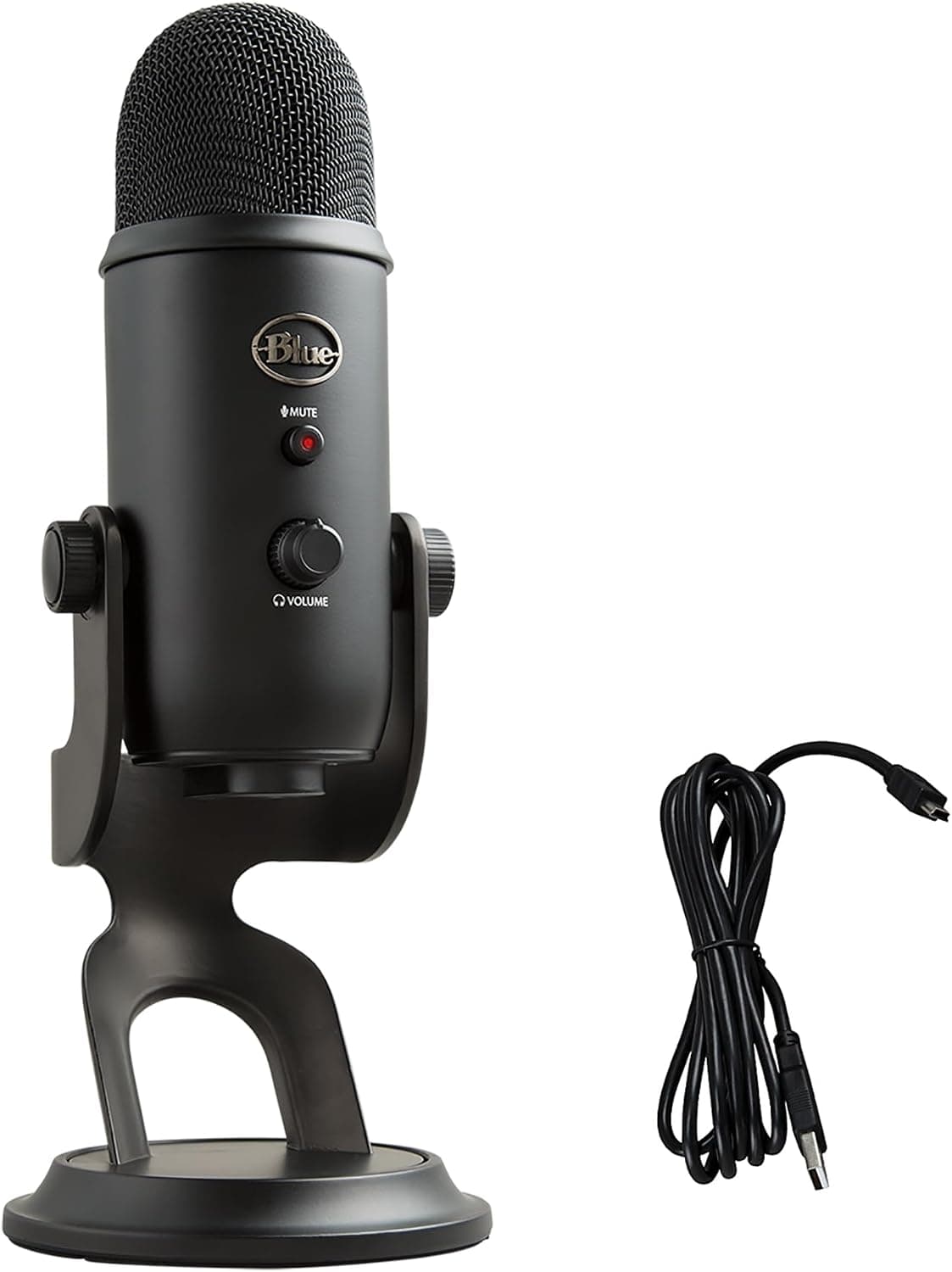
Logitech Blue Yeti USB microphone with Blue VO!CE and 4 pickup patterns, a well-known podcasting and streaming mic.
Price range: See on Amazon
What we liked
- + 4 pickup patterns cover solo, interview and group recordings
- + Blue VO!CE software adds voice effects and filtering
- + Blue Yeti is one of the most recognised USB microphones
Trade-offs
- - Large, heavy mic takes up noticeable desk space
- - Condenser capsule captures keyboard and room noise easily
What it is and who it suits
The Blue Yeti is a USB condenser microphone built around a tri-capsule array, which is the hardware that lets it switch between multiple pickup patterns instead of only capturing sound from one direction. It suits people recording podcasts, voiceovers, game streams, or video calls who want a plug and play microphone without an audio interface, and who may occasionally record more than one voice at the desk, such as a co-host sitting across the table. Because it is a condenser design, it works best in a reasonably quiet room, since it is more sensitive to background sound than a dynamic microphone aimed at the same job. It is a longtime staple on desks used for content creation, so plenty of setup guides and troubleshooting advice exist for it online, which can help first time buyers get it configured correctly.
Pickup patterns and Blue VO!CE
Four pickup patterns are available: cardioid for a single speaker directly in front of the mic, which suits most podcasting and streaming; omnidirectional for picking up sound evenly from all directions, useful for group discussions or field recording; bidirectional for a two-person interview seated on opposite sides; and stereo for capturing a wider sense of space. Blue VO!CE software, installed through Logitech G HUB, adds EQ shaping, a limiter to guard against clipping, a depopper to soften plosive sounds, and vocal effects like pitch shifting, echo, reverb, and chorus, letting a user tune their voice without separate audio editing software.
Build, controls, and connectivity
The Yeti connects over USB with no drivers required for basic recording, and it includes gain control for input sensitivity, an instant mute button, and a headphone jack for latency free monitoring while recording. An internal shockmount protects the three-capsule array from desk vibration and bumps. It ships with a desktop stand that can be removed to mount the microphone on a separate boom arm if a user wants it off the desk surface entirely. It is available in several color finishes, and works with both Windows and Mac computers without extra drivers for standard USB recording. A boom arm purchase is a reasonable follow up accessory for anyone who wants the mic closer to their mouth without a bulky stand taking up desk space in front of the keyboard.
Size and room noise
The Yeti is one of the larger USB microphones on the market, and its size takes up more visible desk space than compact microphones aimed at minimalist setups. Because the condenser capsule is more sensitive than a dynamic mic, it also tends to pick up more of the surrounding room, including keyboard typing, fan noise, and echo off bare walls, unless the recording space has some soft furnishing or acoustic treatment. Positioning the mic close and using the cardioid pattern reduces this, but anyone recording in a small, hard-surfaced room may want to compare it against a dynamic alternative before buying.
Value and recognition
The Blue Yeti name is one of the most recognized in USB microphones, which matters for anyone selling a podcast or stream to an audience that may already know the mic by sight and reputation. Four pickup patterns and the Blue VO!CE software add real flexibility that many single-pattern USB microphones at a similar price do not offer, covering solo recording, interviews, and small group sessions from one microphone rather than needing separate gear for each. The tradeoffs are its desk footprint and its sensitivity to room noise, both of which are the cost of the extra flexibility the four patterns provide.
Frequently asked questions
How many pickup patterns does the Blue Yeti have?
Four: cardioid, omnidirectional, bidirectional, and stereo, covering solo recording, all-around pickup, face-to-face interviews, and wide stereo capture.
Does the Blue Yeti need an audio interface?
No, it connects directly over USB with no drivers required for basic recording, so it works as a standalone plug and play microphone.
What does Blue VO!CE software do?
It adds EQ shaping, a limiter, a depopper for plosives, and vocal effects like pitch shifting, echo, reverb, and chorus, installed through Logitech G HUB.
Is the Blue Yeti good for a noisy room?
It is more sensitive than a dynamic microphone, so it tends to pick up more keyboard, fan, and room noise unless the space has some acoustic treatment or the mic is used close and on the cardioid pattern.
Prices change often, so check the current price and availability on Amazon.
Check price on AmazonDesk Upgrade Nest may earn a commission from the link above.